New Releases in this Updates
| Update ID | Type | Title | Functional Area |
|---|---|---|---|
| 1641 | New Feature | Billable Project Planning Line for Negative Change Order Quote |
Project Quoting |
| 1287 | New Feature | Progress Billing- Prevent Over-Billing |
Progress Billings |
| 1636 | New Feature | Project Card: Display Customer Account Status Alert on Project Creation |
ProjectPro Basics |
| 1787 | New Feature | Aged Accounts Payable by Project Report - Add Project Filter |
Reports |
| 2245 | Enhancement | Revenue Recognition Report/Batch to Run Only for "Open" Projects |
Revenue Recognition |
| 2251 | New Feature | MS Preview Version 28 |
ProjectPro App |
| 2285 | New Feature | Copy Project - Add and Validate "Sell-to Customer No." |
ProjectPro Basics |
| 2382 | New Feature | Project Workflow with "Create Rev Rec Summary Details Batch" |
Project Workflows (Dependency App) |
| 2390 | Enhancement | PMP Delivery Ticket - Mandatory Document No., PO & Inventory Qty. Staged |
Project Material Planning |
| 1799 | Improvement | Populate Project Address Name on Sales Invoice using "Project Address" Option |
Account Receivables |
| 1891 | Improvement | Flow of Dimensions on Progress Billing |
Progress Billings |
| 1996 | Improvement | Enhance AIA G703 with CO Report (R_14021444) to Repeat Header |
Reports |
| 2024 | Improvement | Sales Invoice Calculation with Billing Method = Units |
Progress Billing |
| 2116 | Improvement | Project Address Name on Purchase Order |
Account Payables |
| 2033 | Improvement | Build Takeoff UOM for Lines in Project Quote |
Project Quoting |
| 2084 | Hot Fix | Actual vs Budget Cost by Task - Remove Billable Planning Lines |
Reports |
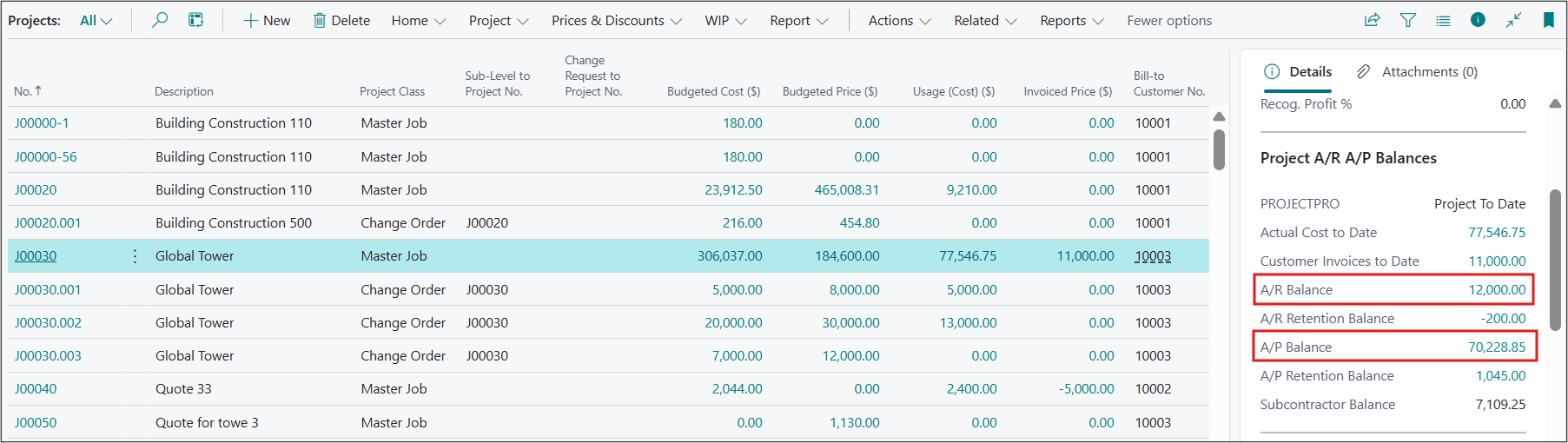
| 2172 | Improvement | A/R Balance and A/P Balance Fields to flow from Remaining Amount |
ProjectPro Basics |
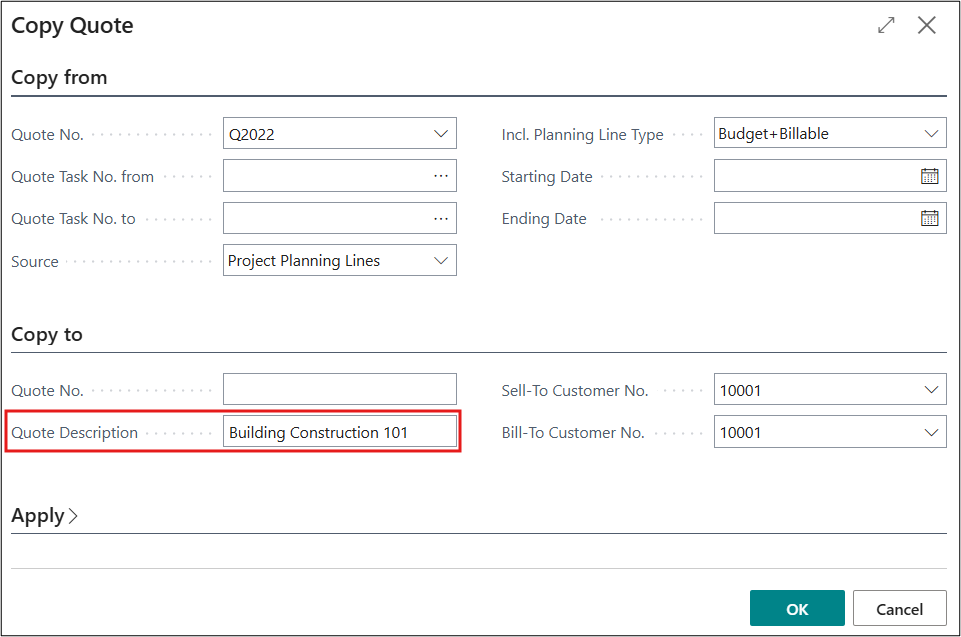
| 2418 | Improvement | Copy Quote - Renaming the Description only Updating the Nickname |
Project Quoting |
Note: Details are given below in "Release Note Details".
Release Note Details
ADO-1641
New Feature – Billable Project Planning Line for Negative Change Order Quote
The system now generates a "Billable/Contract" Project Planning Line for Negative Change Order Quotes (i.e., a billable planning line with negative quantity under a change order quote). However, no Billable Project Planning Line will be created if the "Skip Default Billing Project Task No." option is enabled in the Project Setup.
ADO-1287
New Feature – Progress Billing – Prevent Over-Billing
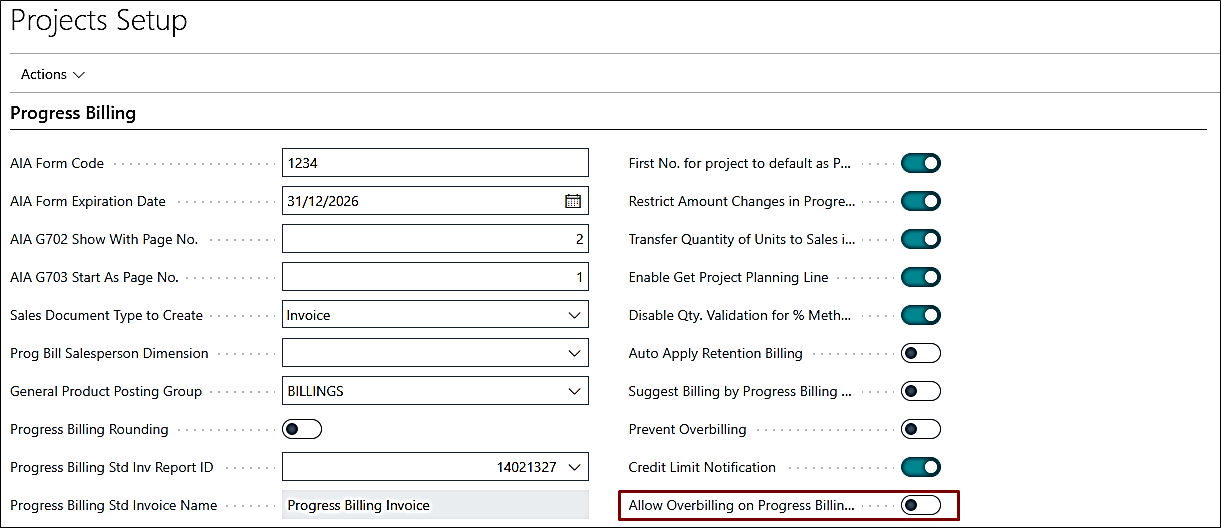
Overbilling is restricted across all Progress Billing methods. However, for the "Unit" method, users can allow higher billed quantities by enabling the "Allow Overbilling on Progress Billing Line" option in the project setup.
For the "%" and "L/S" methods, the system validates whether the sum of Total Billed Amount and Stored Material Amount exceeds the Base Amount. If it does, an error is triggered.
For the "Unit" method, the system checks whether the sum of Total Billed Amount and Stored Material Amount exceeds (Contract Quantity × Base Amount). If this threshold is exceeded, an error is generated.
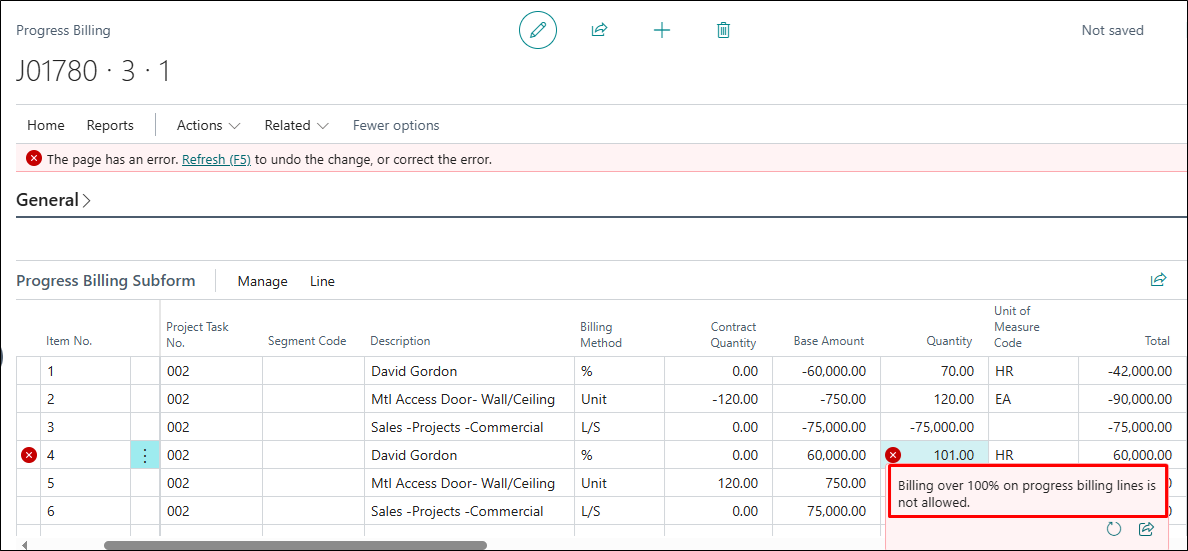
Note: Entering a negative percentage may result in inaccurate calculations. For negative adjustments, it is recommended to create a separate planning line.
ADO-1636
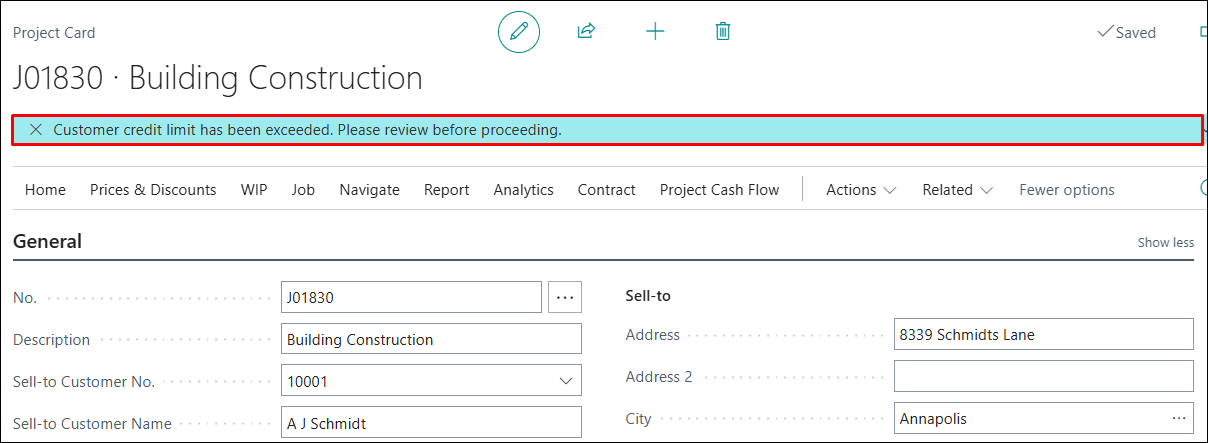
New Feature – Project Card: Display Customer Account Status Alert on Project Creation
A new feature has been introduced in Project Setup to enhance financial control by validating customer credit limits during project creation.
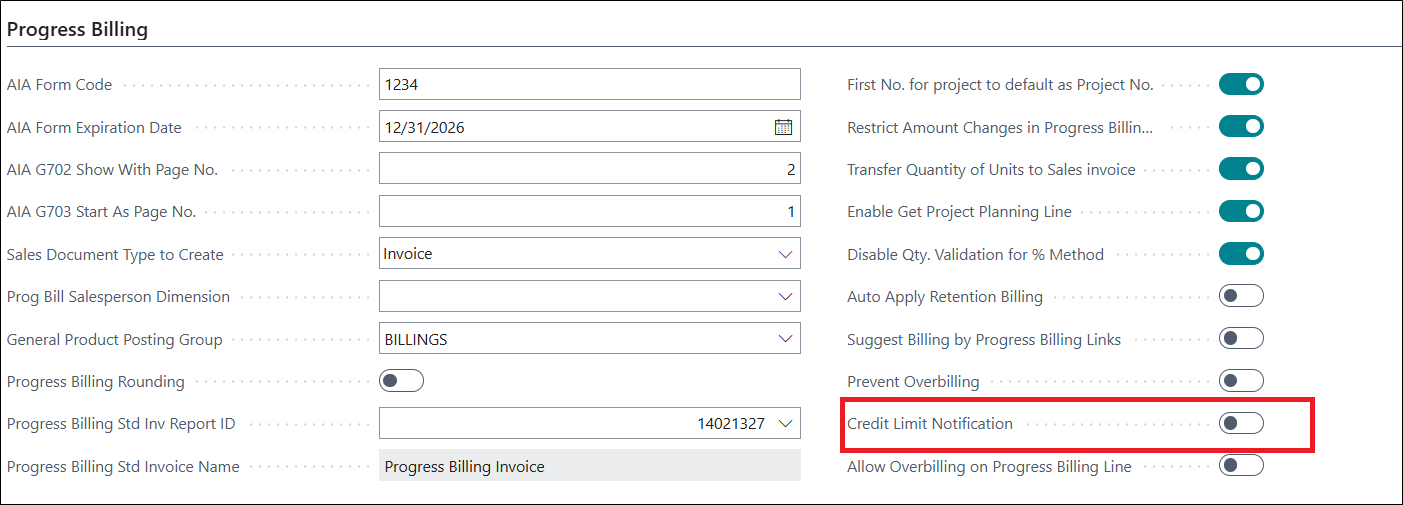
When enabled, the system checks the credit limits for:
- - Sell-To Customer
- - Bill-To Customer
If the customer's balance exceeds the defined credit limit, a warning message is displayed.
ADO-1787
New Feature – Aged Accounts Payable by Project Report - Add Project Filter
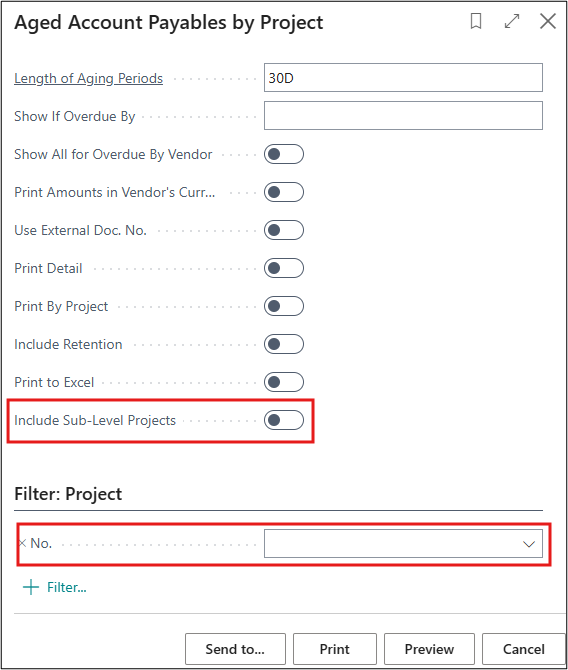
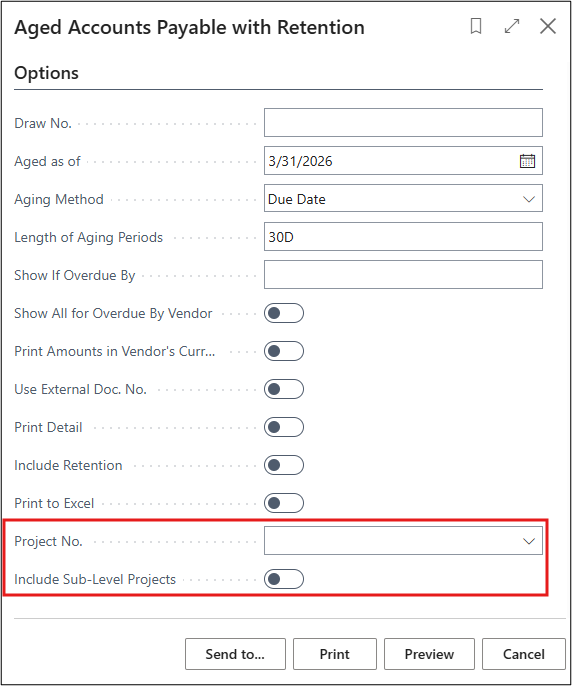
The two reports, "Aged Account Payables by Project" and "Aged Accounts Payable with Retention", are now capable of filtering based on Project No. and to Include Sub-Levels.
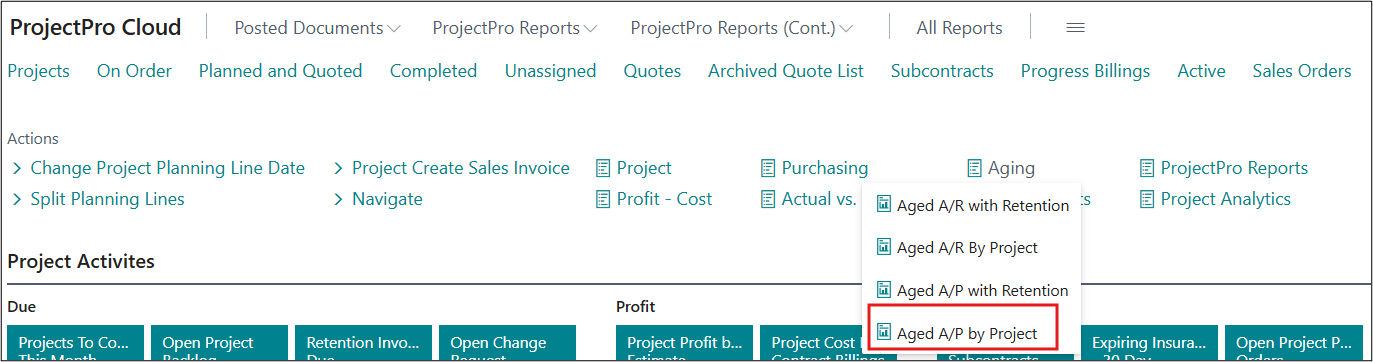
The "Aged Account Payables by Project" report is also added to the "ProjectPro Manager" Role Center, and on the Project card.

ADO-2245
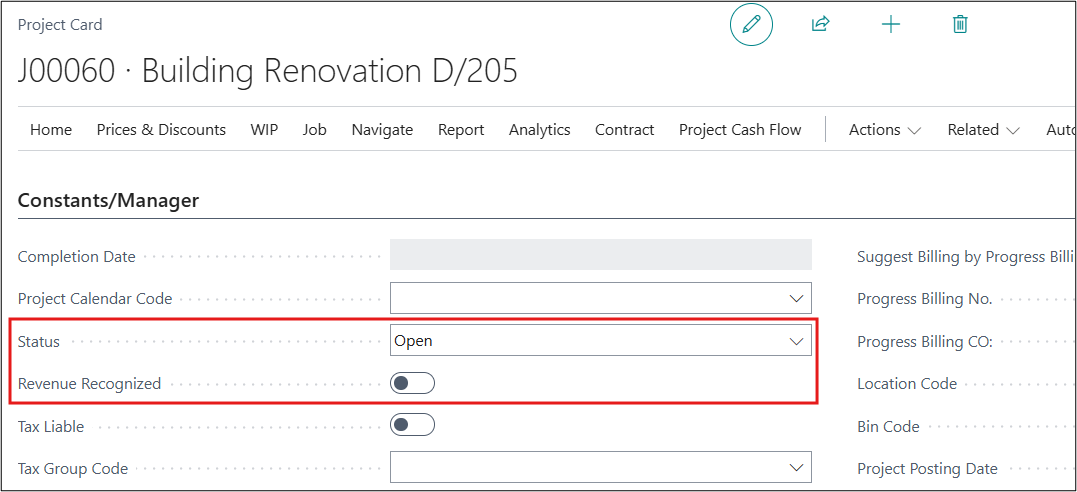
Enhancement – Revenue Recognition Report/Batch to Run Only for "Open" Projects
The "Revenue Recognition Report/Batch" now runs for Projects with the following conditions:
- "Status" of the project is set to "Open".
- "Revenue Recognized" on the project is set to false.
ADO-2251
New Feature – MS Preview Version 28
The ProjectPro application is fully compatible with MS version 28 (Preview).
ADO-2285
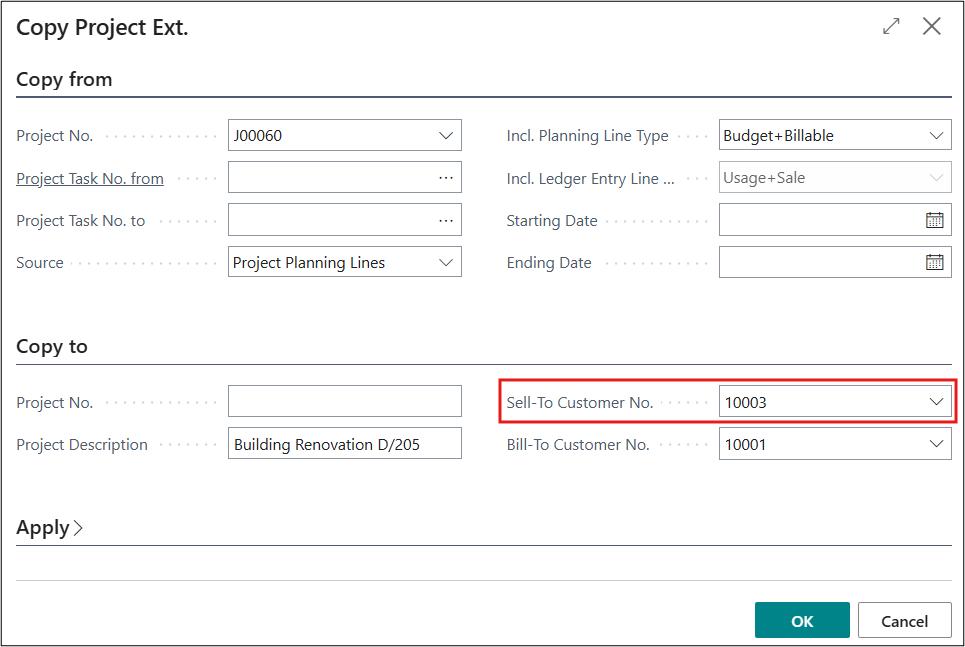
New Feature – Copy Project – Add and Validate "Sell-to Customer No."
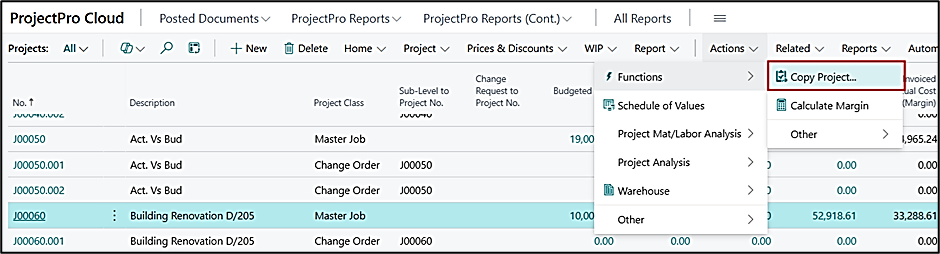
The "ProjectPro Copy Project" function now includes the "Sell-to Customer No." option.
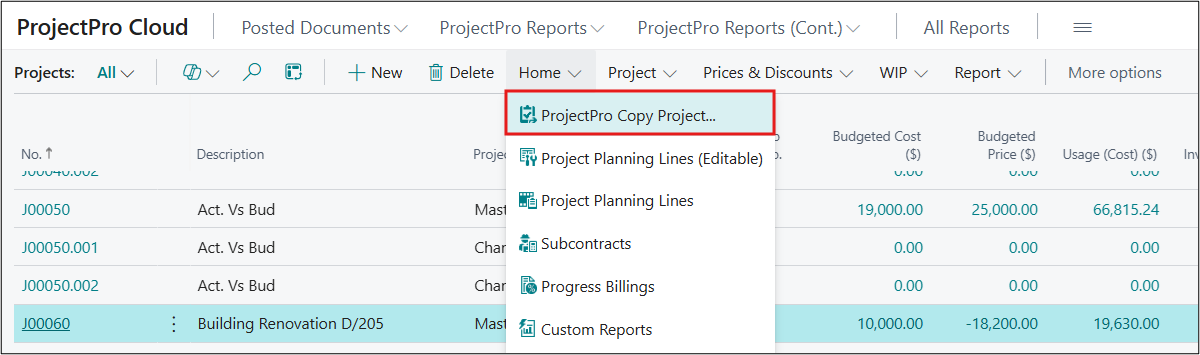
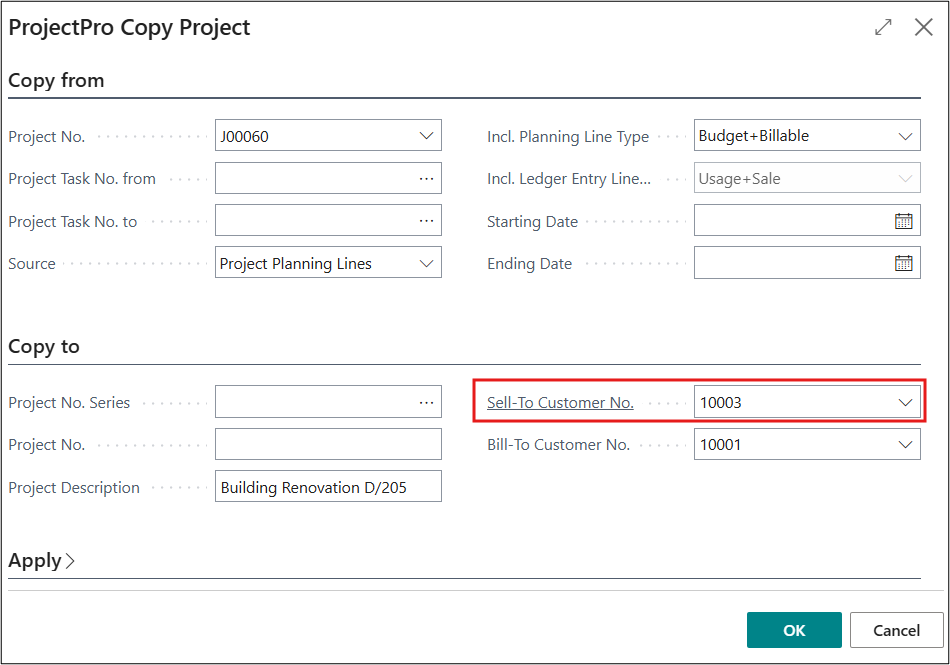
The "Copy Project" function is now compatible with the ProjectPro "Sell-to Customer No." field.
ADO-2382 (Dependency App)
New Feature – Project Workflow with "Create Rev Rec Summary Details Batch"
This is available in the ProjectPro Workflow Dependency App (NA).
Approval status validation should occur only if the workflow is enabled and relevant approval entries are available for the project.
This logic is applicable only when the workflow is configured to run based on the "Planning" status of the project.
ADO-2390
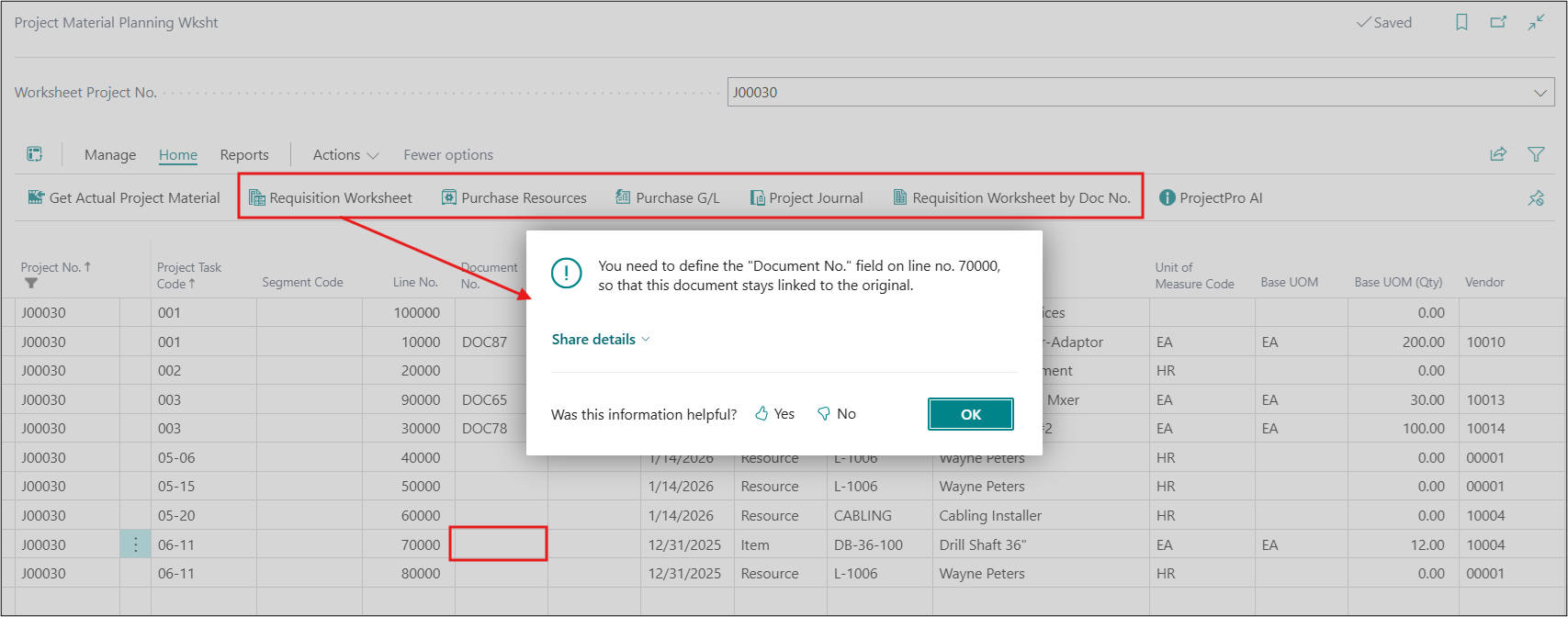
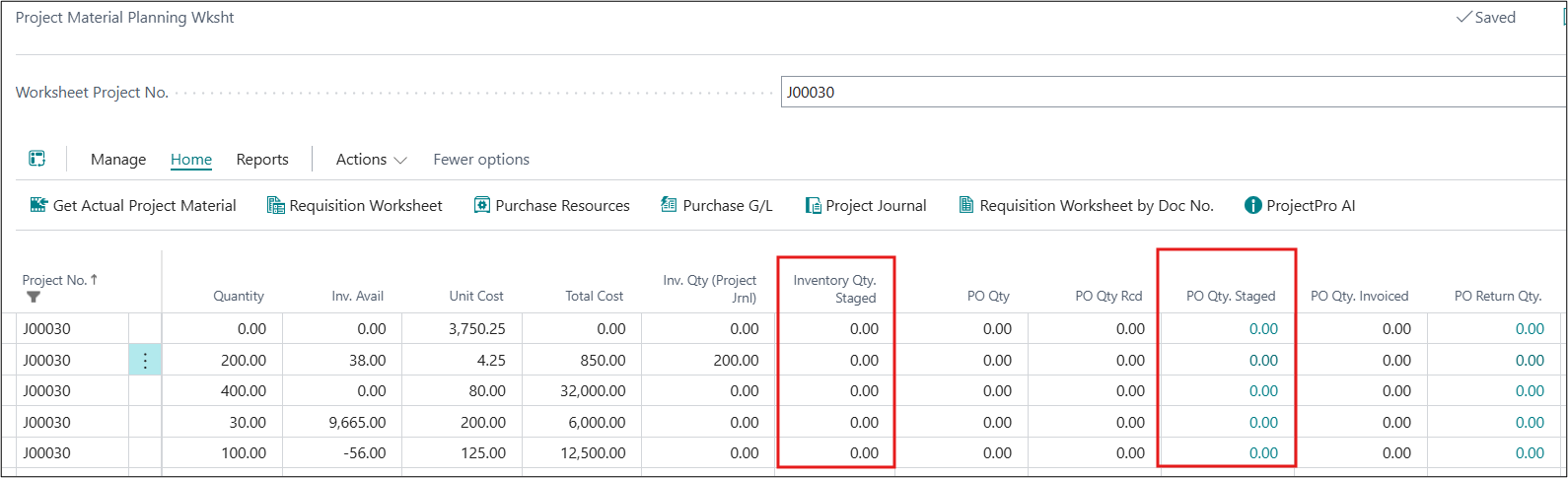
Enhancement – PMP Delivery Ticket - Mandatory Document No., PO & Inventory Qty. Staged
- The "Document No." field on the project material planning worksheet has been made mandatory on different action buttons.
- The "PO Qty. Staged" and "Inventory Qty. Staged" fields have been made non-editable.
ADO-1799
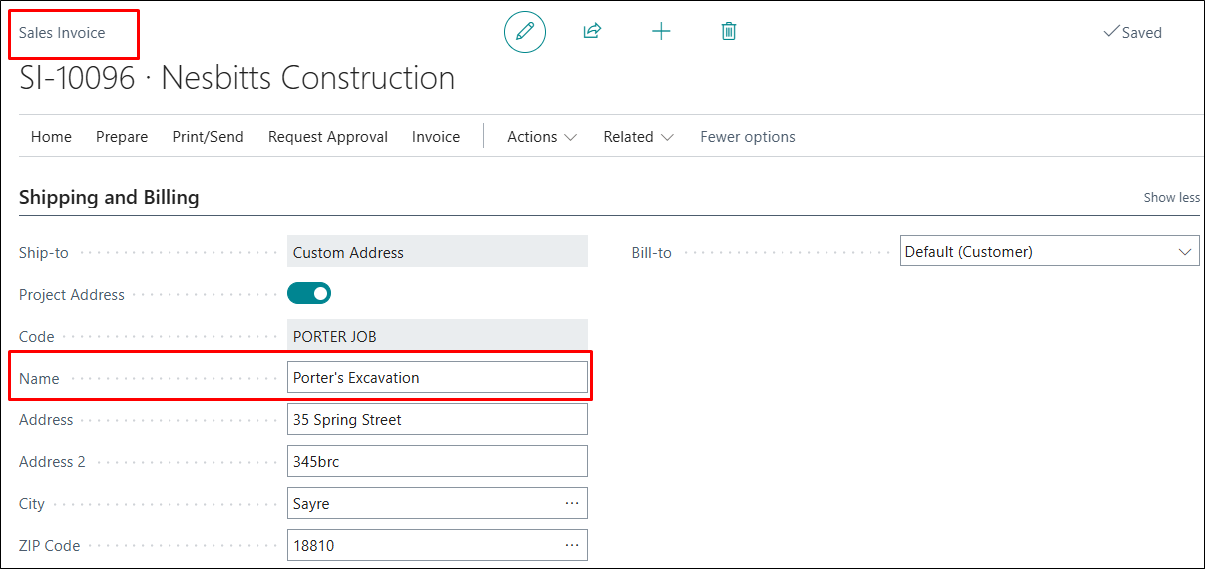
Improvement – Populate Project Address Name on Sales Invoice using "Project Address" Option
When a "Project Address" was applied to the Sales Invoice, address details were populated, but the "Name" field was missing.
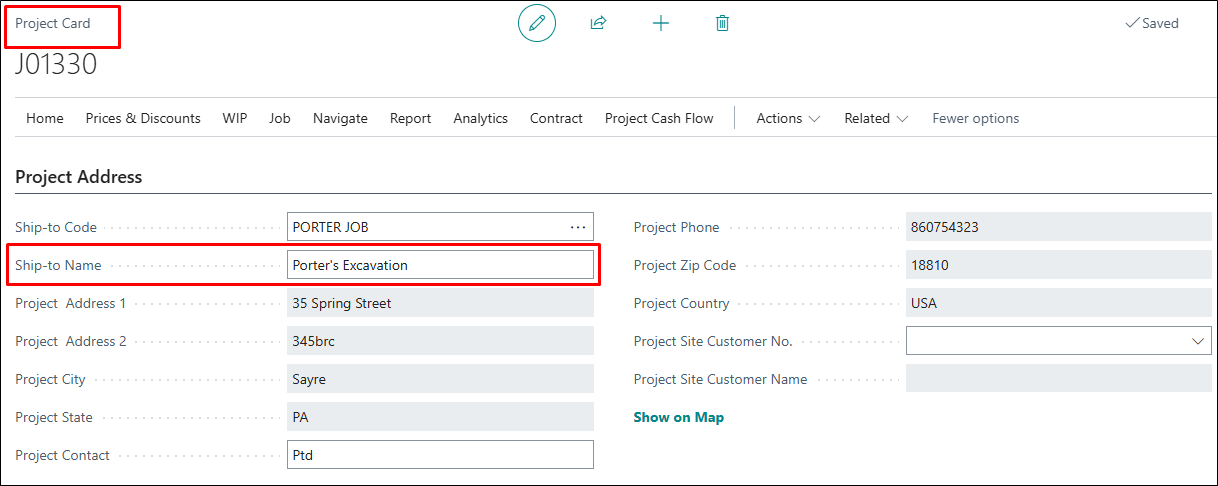
This has been fixed by introducing an editable "Ship-to Name" field in the Project Address section on the Project Card, which is now populated based on the selected "Ship-to Code".
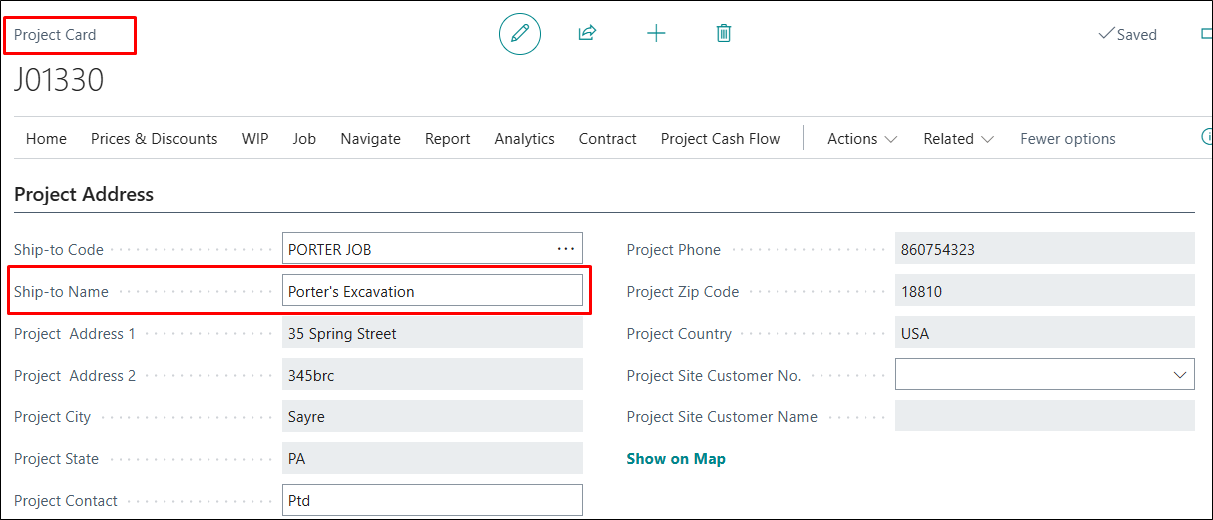
Additionally, the "Name" will now flow correctly to the Sales Invoice when the "Project Address" is selected.
ADO-1891
Improvement – Flow of Dimensions on Progress Billing
When only a Shortcut or a single Global Dimension was used, the dimensions added on the Project Task Lines didn't flow to Progress Billing lines, and dimensions added on billing lines were not retained or carried forward.
This has been fixed by removing the dependency on having both Global Dimensions.
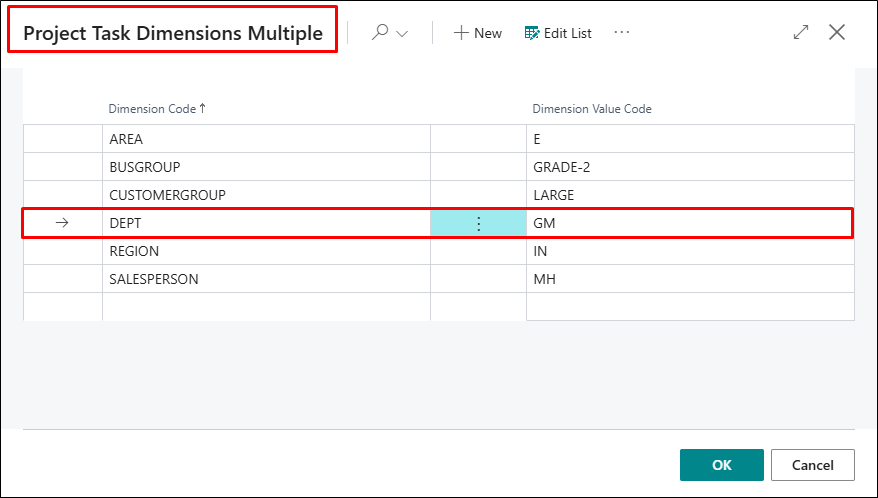
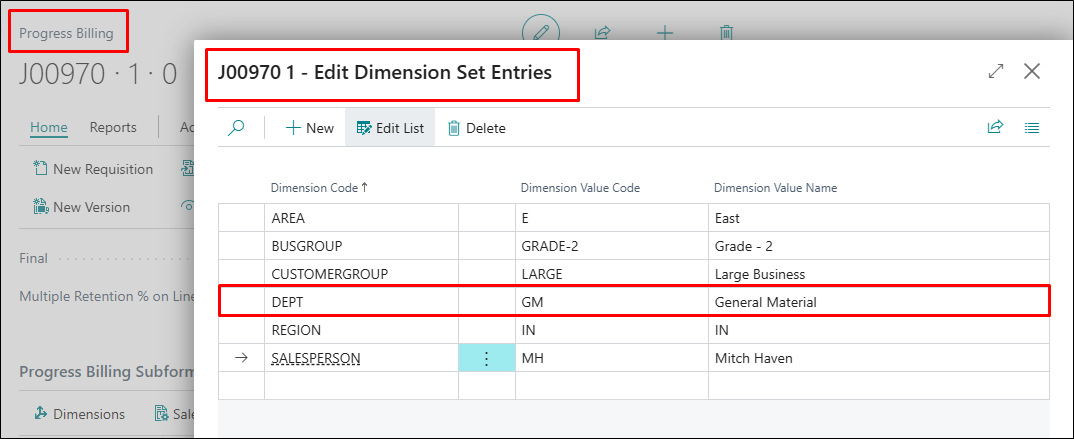
Dimensions added directly on Progress Billing lines are now retained and flow correctly to subsequent documents, including Requisitions, Versions, and Sales Invoices.
ADO-1996
Improvement – Enhance AIA G703 with CO Report (R_14021444) to Repeat Header
The "Combined AIA G702/G703 with Change Order" report did not repeat the header when billings exceeded on G703 page, causing missing column headings on subsequent pages.
This has been fixed to ensure the header repeats on every G703 page for better readability.
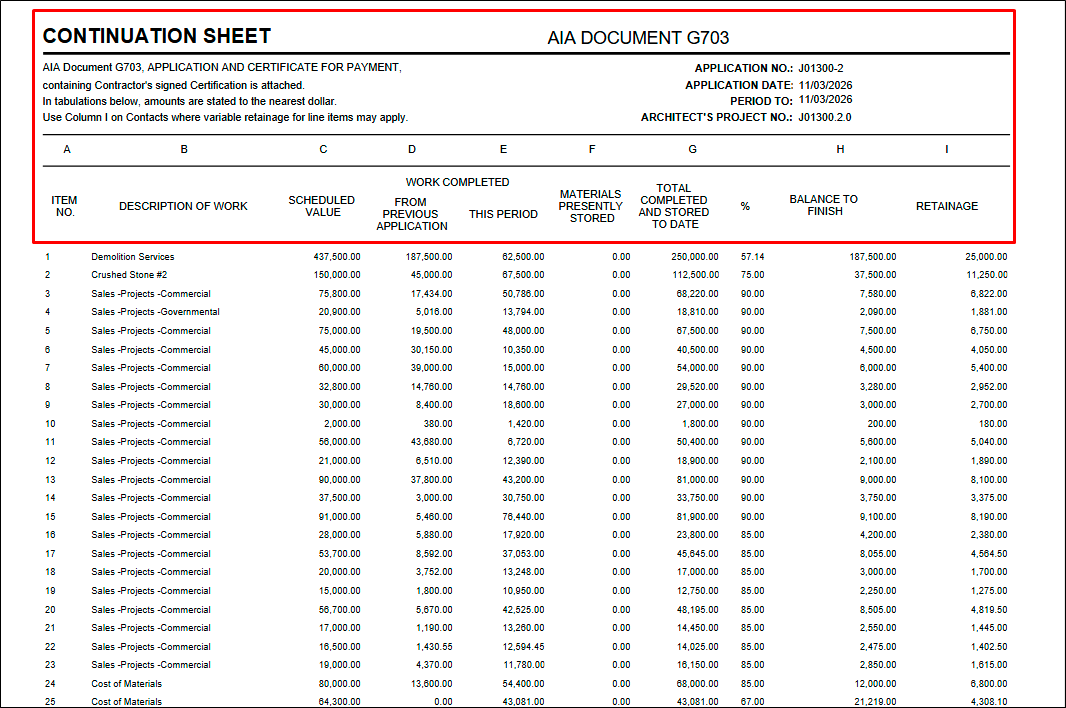
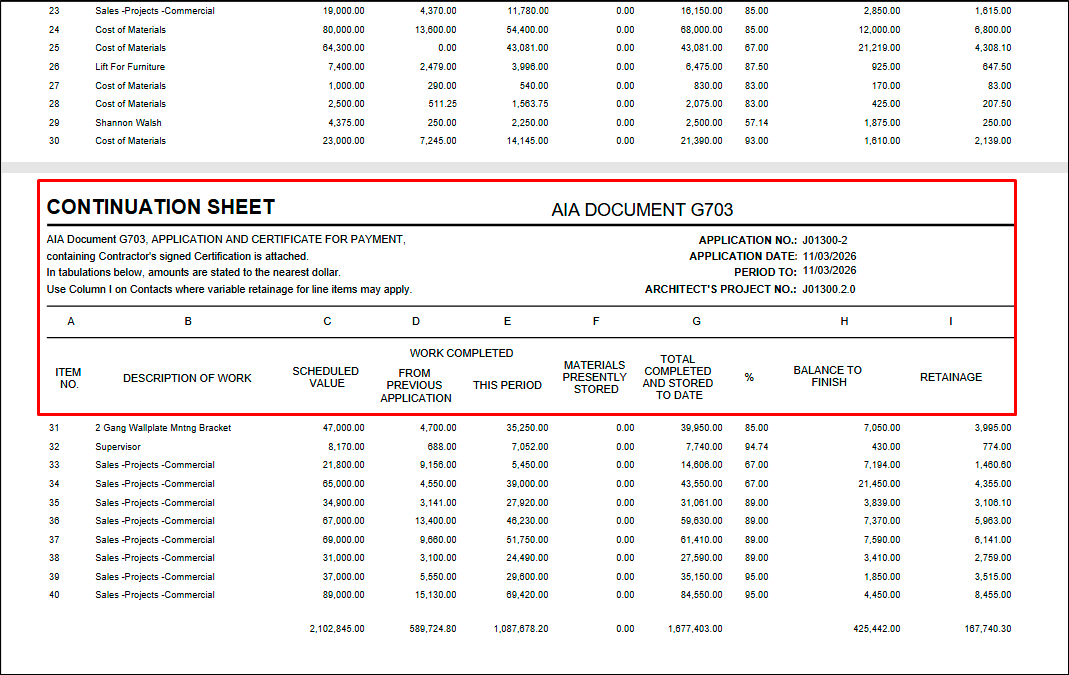
Additionally, the "%" column has been slightly repositioned to the right for improved alignment.
ADO-2024
Improvement – Sales Invoice Calculation with Billing Method = Units
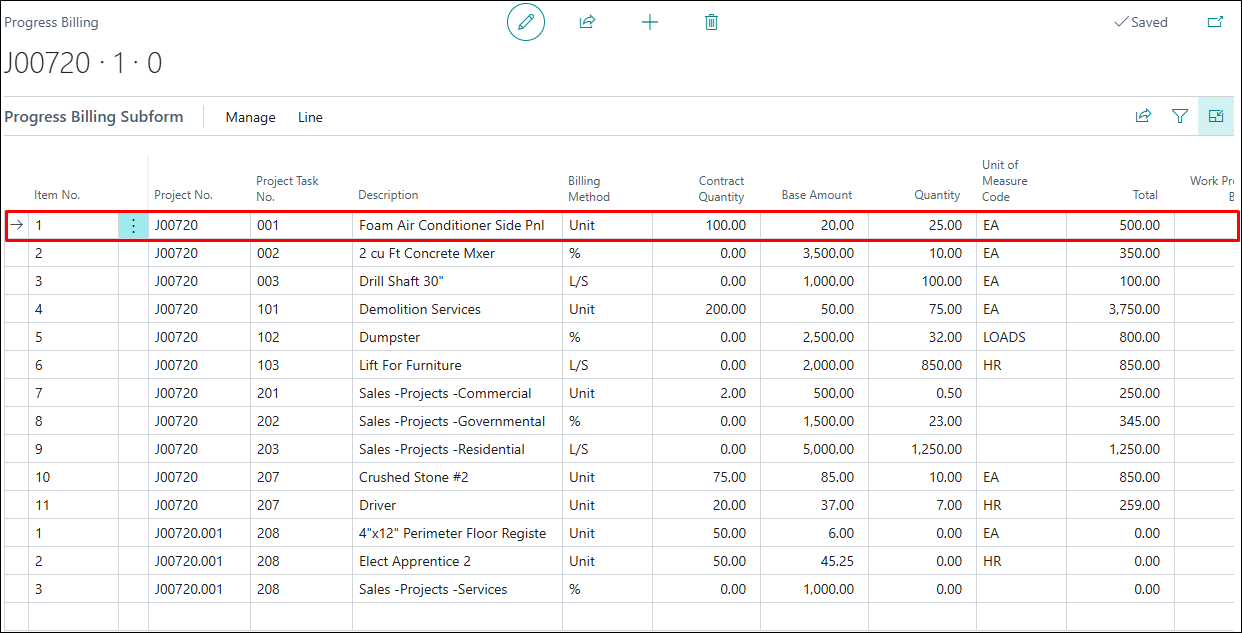
When the Progress Billing Method is set to "Units," and the "Transfer Units to Sales Invoice" option is enabled on the Project Setup, the Work Amount in Progress Billing is calculated correctly as Quantity × Unit Price.
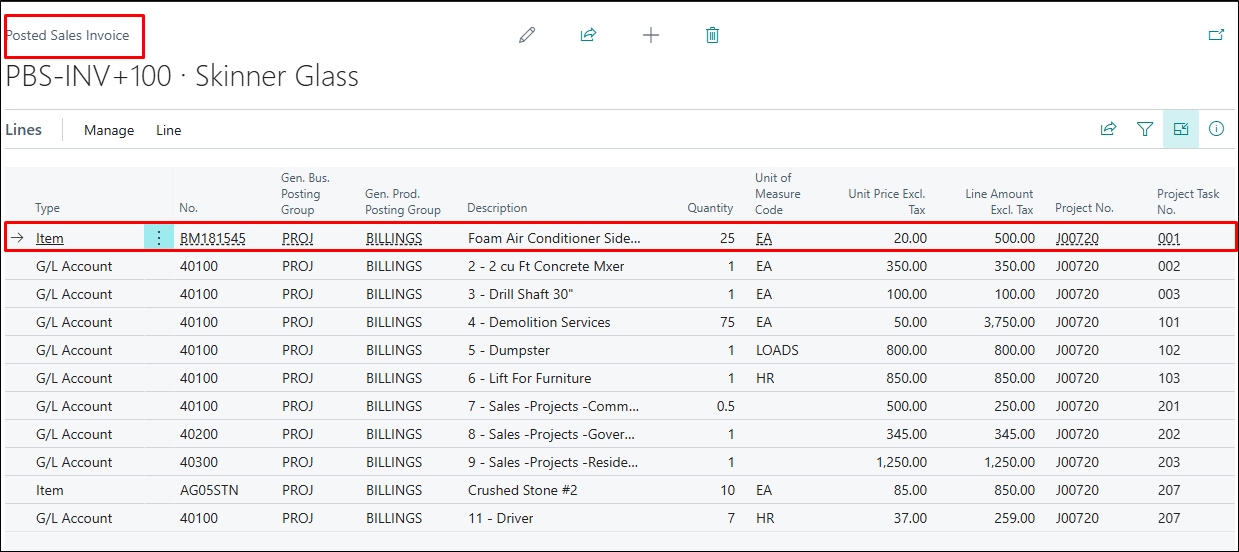
However, during Sales Invoice creation, although the Quantity was transferred correctly, the unit price was recalculated based on the Work Amount, leading to incorrect Line Amounts.
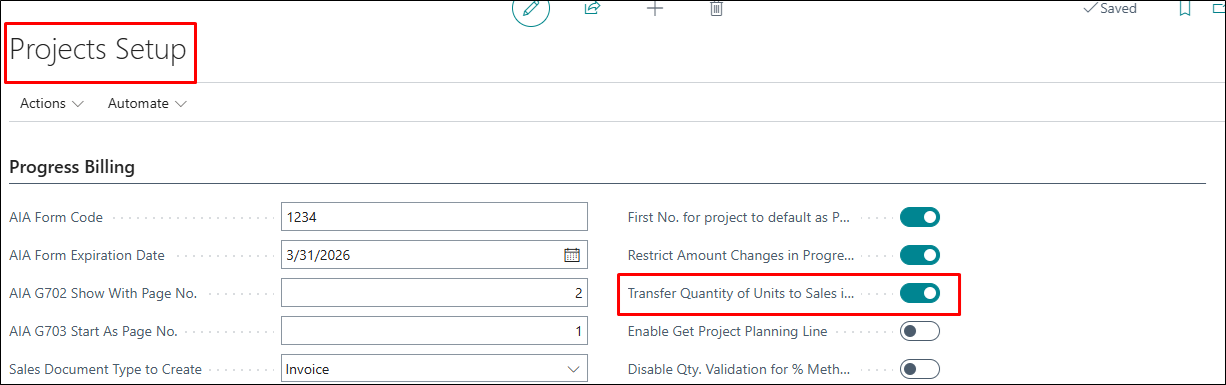
This has been corrected by enhancing the transfer logic between Progress Billing and Sales Invoice.
This ensures that the "Unit Price" and "Line Amount" are now calculated and posted accurately.
ADO-2116
Improvement – Project Address Name on Purchase Order
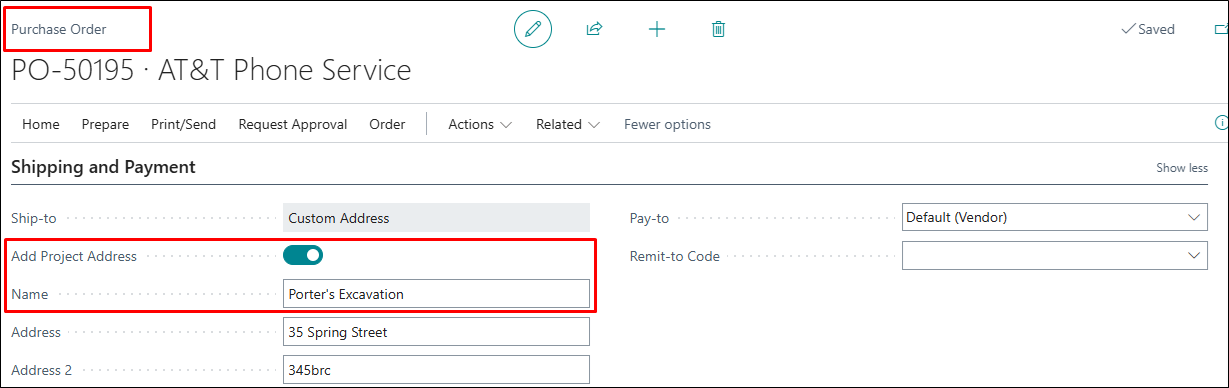
The Project Address fast tab in the Purchase Order was not behaving as expected, since the "Name" field captured the "Project Description" instead of reflecting the "Ship-to Name" based on the selected "Ship-to Code".
This has been corrected by introducing the "Ship-to Name" field in the Project Address fast tab on the Project Card, making it editable, and ensuring that it is populated based on the selected Ship-to Code.
Additionally, when a purchase document is created, and the "Add Project Address" is selected, the "Name" will now flow correctly from this field.
ADO-2033
Improvement – Build Takeoff UOM for Lines in Project Quote
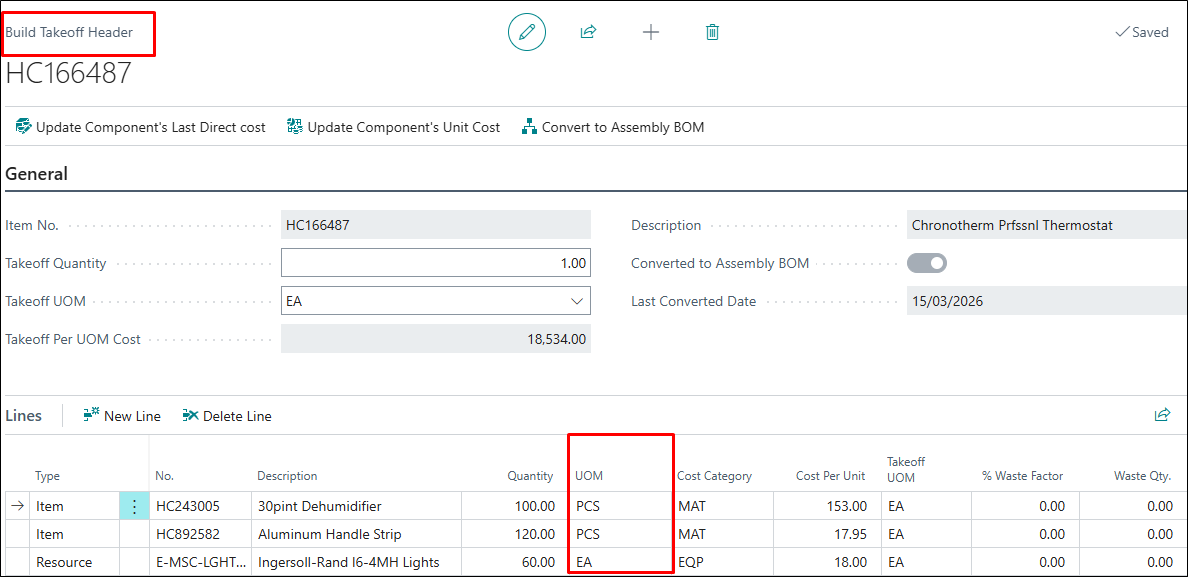
The "Build Take Off" now prioritises the UOM defined on the Takeoff/Assembly BOM instead of the UOM defined on the Item/Resource card. Hence, the mismatch between the Takeoff data and the Project Quote after the explosion is also corrected.
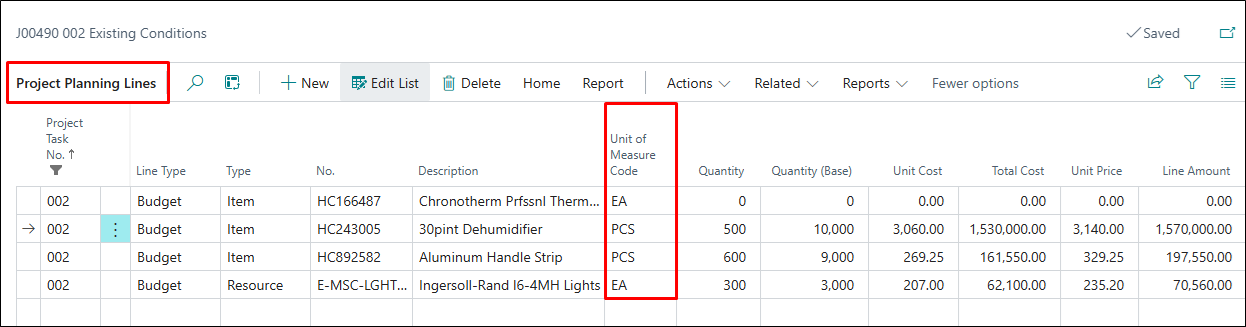
Additionally, related fields such as Qty. (Base), Unit Cost, Total Cost, Unit Price, and Total Price on the Project Planning Line have been aligned accordingly to ensure accurate calculations.
ADO-2084
Hot Fix – Actual vs Budget Cost by Task - Remove Billable Planning Lines
The "Actual vs. Budget Cost by Task" Report (14021152) is updated to ensure that Billable Project Planning Lines are excluded even when the "Show Details" or the "Sub-Level" options are selected on the report request page.
Additionally, the extra spacing between lines in the report layout has been removed to improve readability.
ADO-2172
Improvement – A/R Balance and A/P Balance Fields to flow from Remaining Amount
The "A/R Balance" and the "A/P Balance" on the Project A/R A/P Balances fact box now pick the values from the Remaining Amount column of the respective Customer and Vendor Ledger Entries.
ADO-2418
Improvement – Copy Quote - Renaming the Description only, Updating the Nickname
The "Copy Quote" function now updates the modified "Quote Description" on the copied quote. This updated name flows to the Project card also when converted.