Warning: Undefined array key "filter" in /home/oyquyaphmrla/public_html/projectpro365.com/product-updates/release-july-2026.php on line 62
Warning: Undefined array key "filter" in /home/oyquyaphmrla/public_html/projectpro365.com/product-updates/release-july-2026.php on line 69
New Releases in this Updates
| Update ID | Type | Title | Functional Area |
|---|---|---|---|
| 1213 | New Feature | Renaming Projects with Existing Ledger Entries |
ProjectPro Basics |
| 1905 | New Feature | Project Cash Flow - Stabilization + Report + Graph |
Project Cash Flow |
| 3333 | New Feature | Budgeted and Actual Hours to Include Only Labor Cost Category Type for Project Task Lines |
ProjectPro Basics |
| 3363 | New Feature | Flow Default Resource Skill Class to Project Journal Lines |
ProjectPro Basics |
| 3457 | Enhancement | Project Labor Hours by Task Report - Budgeted Hours vs Actual Hours |
Reports |
| 2597 | New Feature | Modify "Locked Project Planning Lines" through User Setup |
ProjectPro Basics |
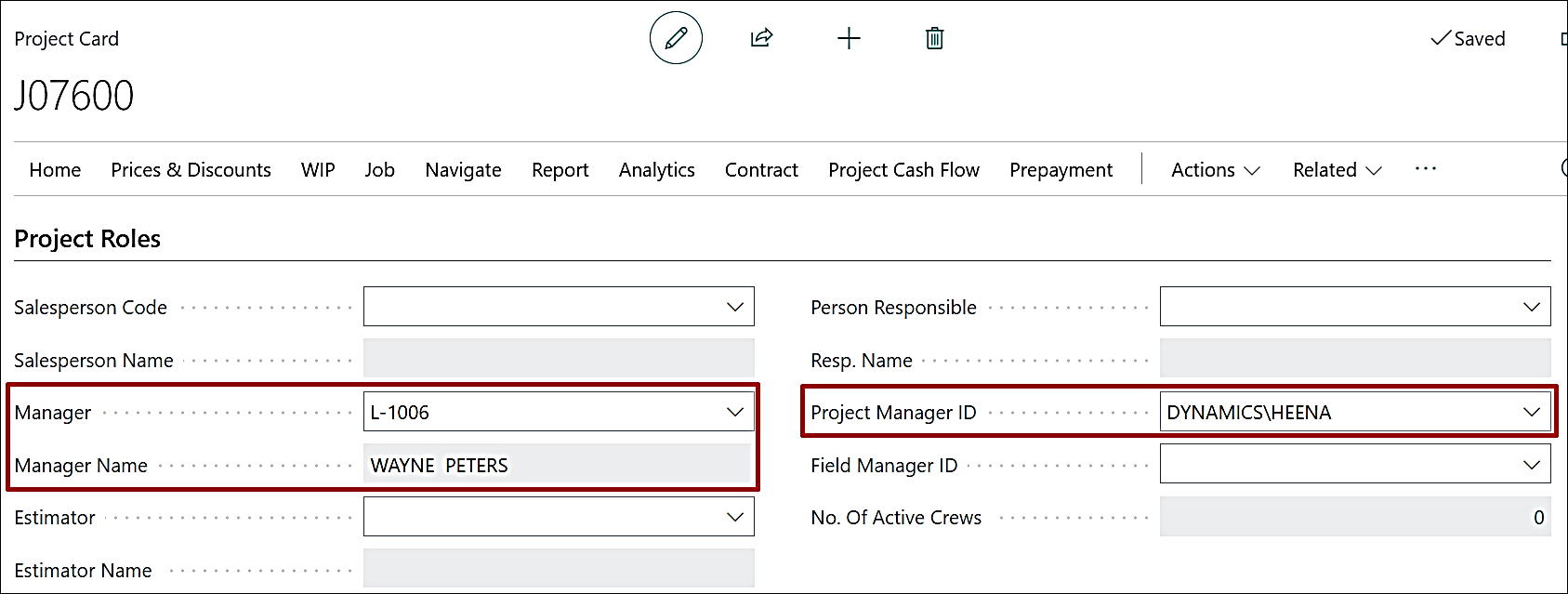
| 1384 | New Feature | Project Manager and Salesperson Dimension Flow on Project Card |
ProjectPro Basics |
| 3795 | Enhancement | Voiding a Credit Memo in Progress Billing |
Progress Billing |
| 3782 | Enhancement | Edit in Excel with Progress Billing and Subcontract List Pages |
ProjectPro Basics |
| 3823 | Enhancement | Use Project Manager for Purchase Documents |
Account Payables |
| 3778 | New Feature | Project Setup to Define the Forecasting Level upon Project Creation |
Project Forecast |
| 3859 | New Feature | Copy Assembly BOM with Build Takeoff |
ProjectPro Basics |
| 3849 | New Feature | Enhance Project Prepayment Process |
ProjectPro Basics |
| 3860 | New Feature | Copy Item Image to Build Takeoff |
ProjectPro Basics |
| 3847 | New Feature | Warning Message for Manual Application of Normal to Retention (or vice versa) on CLE |
Account Receivables |
| 3883 | Enhancement | Apply Option on "Assign Project CF Category" Function on Project Planning Lines and Task Lines |
Project Cash Flow |
| 3894 | Improvement | Dimensions on Change Order Quote |
Project Quote |
| 2635 | Improvement | Progress Billing Link Code on Project Quote |
Project Quote |
| 4079 | Improvement | UI Enhancements - Captions, Tooltips, and Field Corrections |
ProjectPro Basics |
Note: Details are given below in "Release Note Details".
Release Note Details
ADO-1213
New Feature – Renaming Projects with Existing Ledger Entries
Allow users to rename the Project No. from the Project Card. When the Project No. is changed, the system must update all related records across the application to maintain data consistency.
- Enabled editing of the Project No. from the Project Card.
- Added a confirmation message before renaming the Project Number.
- Automatically updates the new Project No. across all related documents, ledger entries, reports, and reference records to ensure data consistency.
Warning: Undefined array key "filter" in /home/oyquyaphmrla/public_html/projectpro365.com/product-updates/release-july-2026.php on line 248
ADO-1905
New Feature – Project Cash Flow - Stabilization + Report + Graph
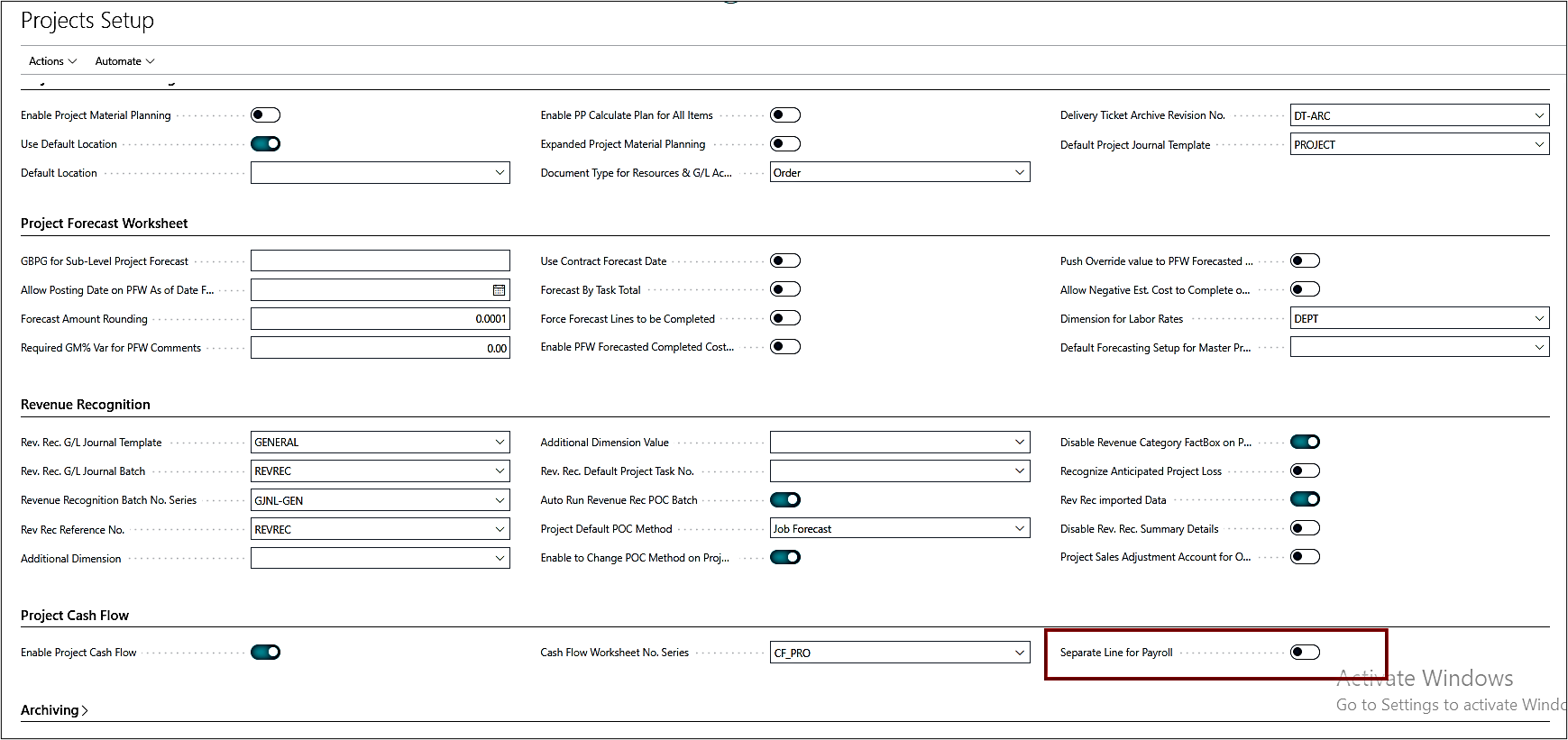
- A new Boolean field, "Separate Line for Payroll", has been added to the Projects Setup.
- When enabled, the system displays payroll-related data on a separate "Payroll" line. This line includes all data associated with the Labor type cost category, regardless of whether the source is an Item, Resource, or G/L Account.
- When disabled, payroll data is not displayed separately. Instead, all data is grouped and displayed according to the configured Project Cash Flow Categories.
- The Project Cash Flow list is now sorted with "Active" first.

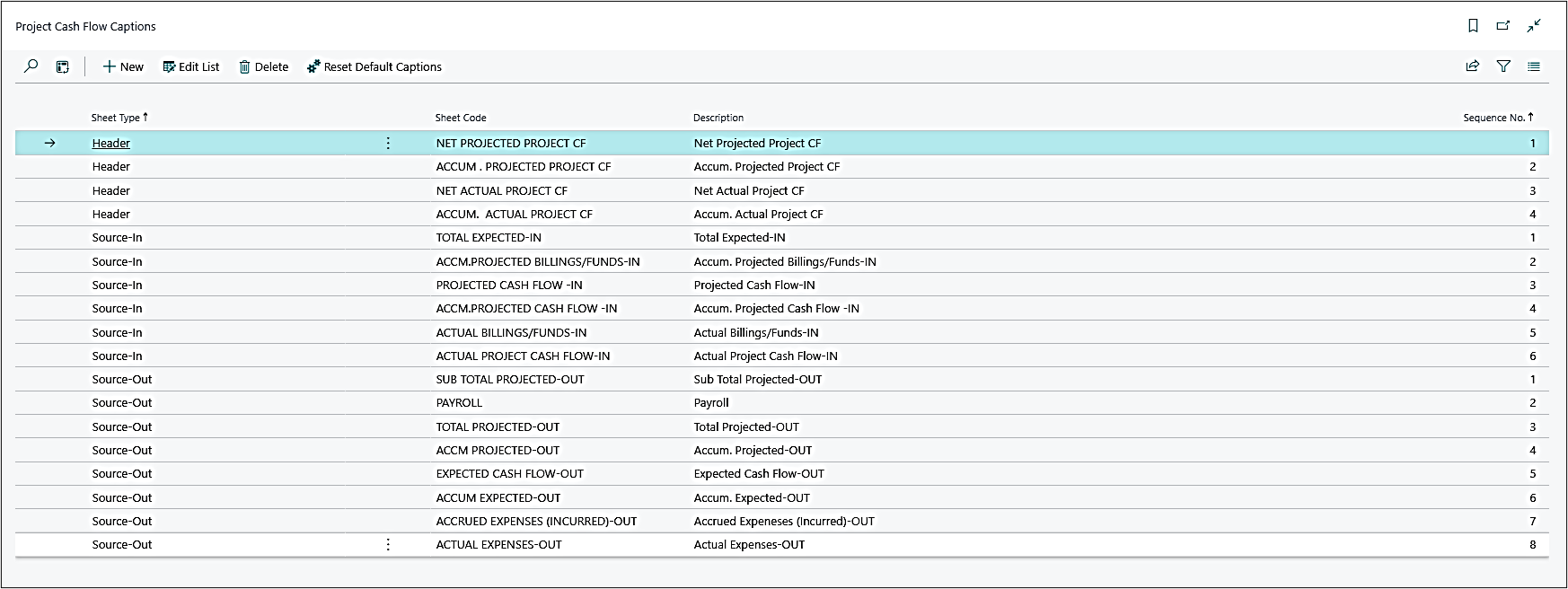
- The "CF Source-In/Source-Out Sheet Details" has been changed to "Project Cash Flow Captions". Here, the Sheet Code is fixed. The user can change the description as per the company policy.
ADO-3333
New Feature – Budgeted and Actual Hours to Include Only Labor Cost Category Type for Project Task Lines
Enhanced the Budgeted Hours calculation on Project Task Lines to include Budget and Both Budget and Billable planning lines.
The batch (searched via global search) used to update historical task lines has been renamed from "Backfill Cost Category Type" to "Update Cost Category Type".
ADO-3363
New Feature – Flow Default Resource Skill Class to Project Journal Lines
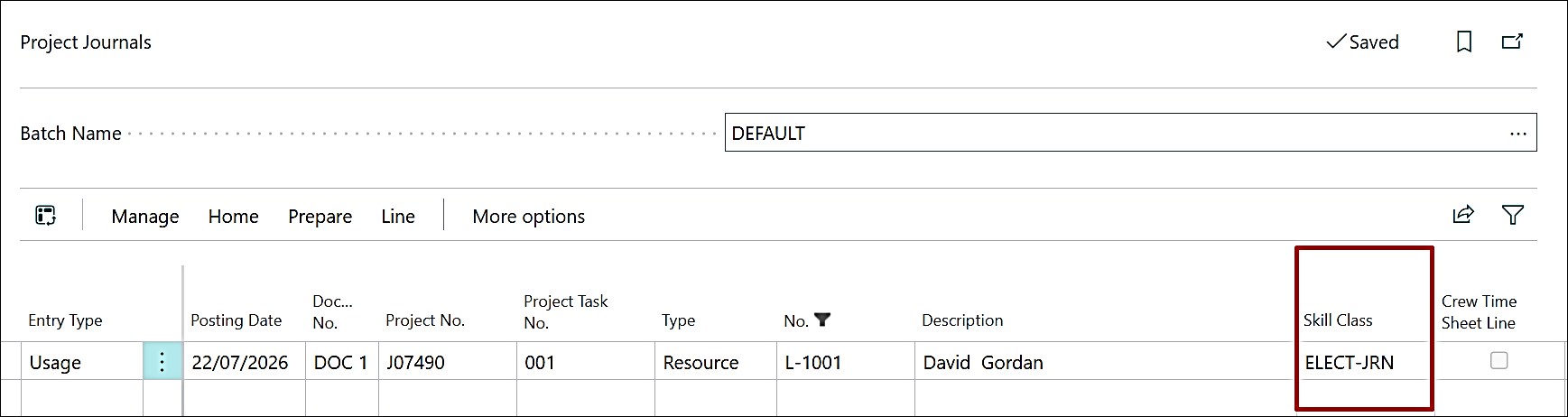
The Skill Class Code determination has been enhanced by adding the Default Skill Class Code from the Resource Card as the third priority, after Job Resource Cost/Price and Employee Card.

This value is populated automatically only when the first two priority sources do not contain a Skill Class.
ADO-3457
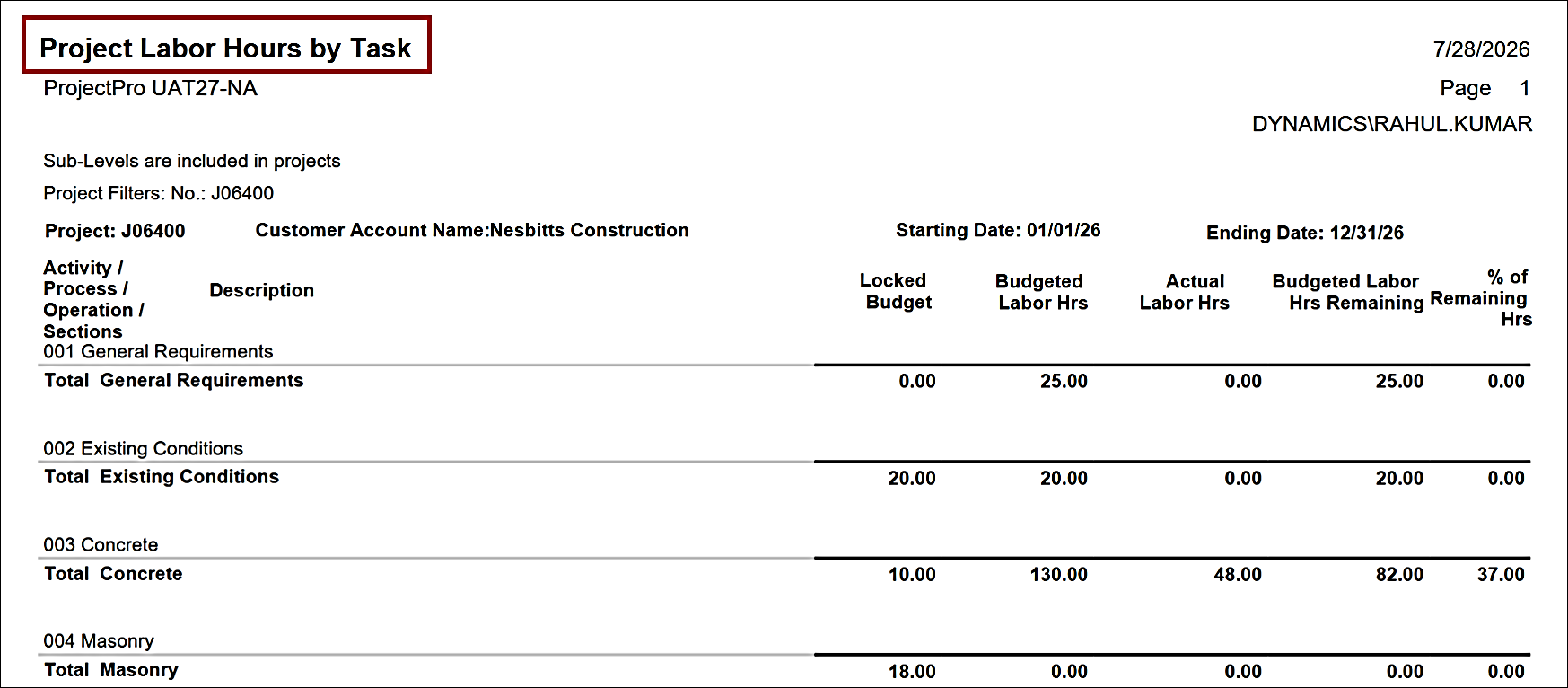
Enhancement – Project Labor Hours by Task Report - Budgeted Hours vs Actual Hours
A new Project Labor Hours by Task report has been introduced to analyze labor hours at the project and project-task level.
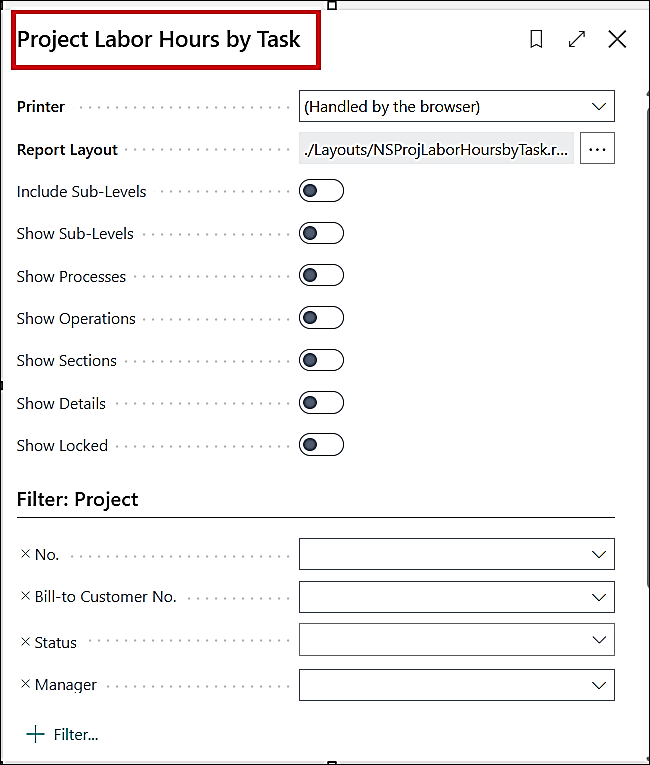
The report is available through Global Search and provides a task-level view of labor effort across projects.
ADO-2597
New Feature – Modify "Locked Project Planning Lines" through User Setup
The "Allow Updates to Orig. Planning" Boolean field (used to allow modifying the locked planning lines) in Projects Setup has been marked as obsolete and is no longer in use.
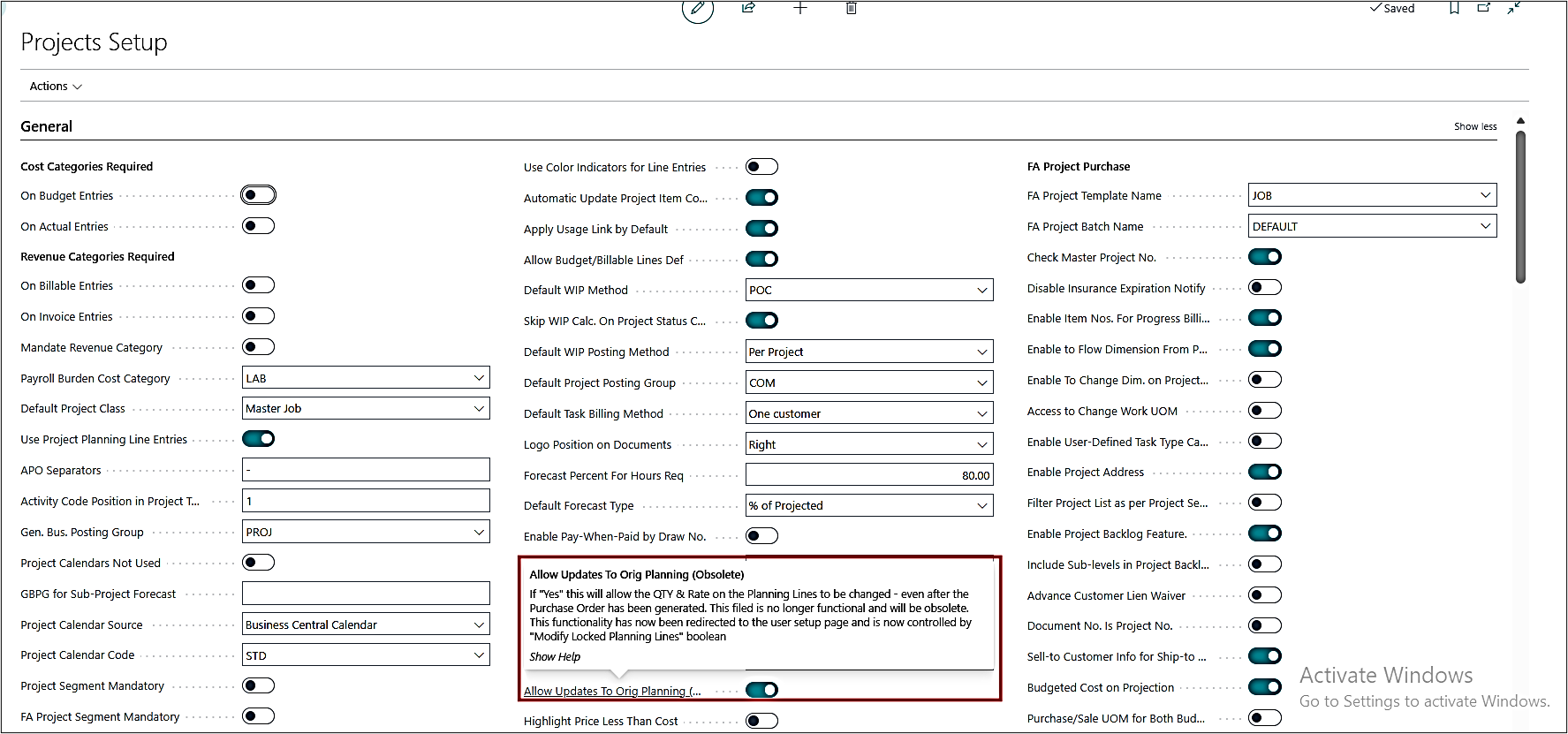
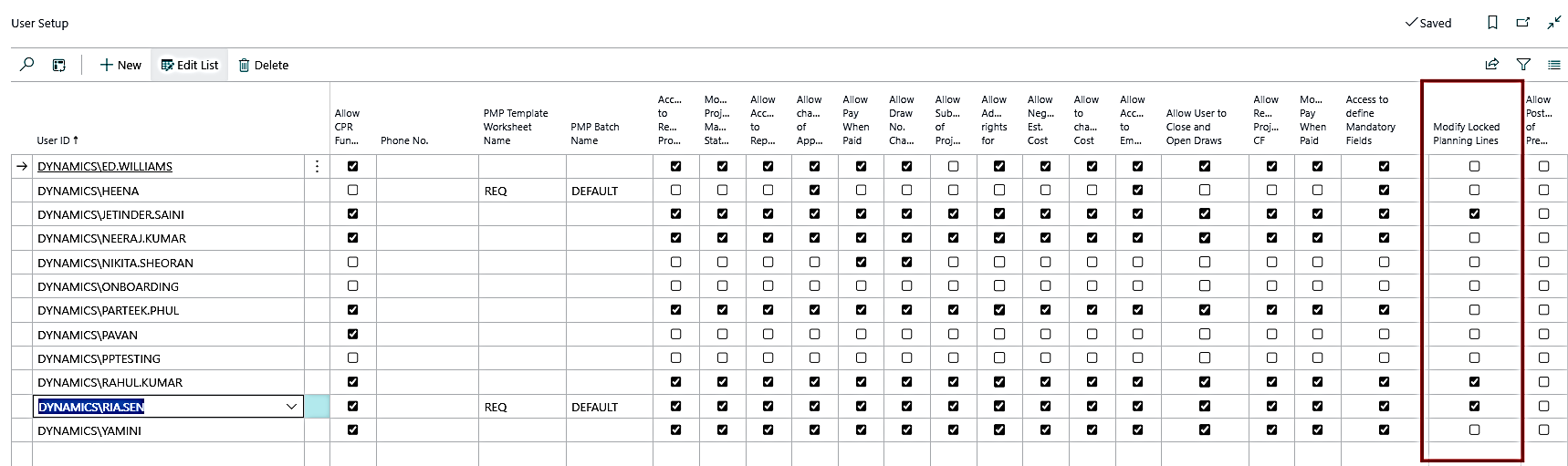
This setting has been moved from a company-wide configuration to a user-specific setting.
A new Boolean field, "Modify Locked Planning Lines," has been introduced to User Setup. Users with this permission enabled can modify locked planning lines.
Warning: Undefined array key "filter" in /home/oyquyaphmrla/public_html/projectpro365.com/product-updates/release-july-2026.php on line 338
ADO-1384
New Feature – Project Manager and Salesperson Dimension Flow on Project Card
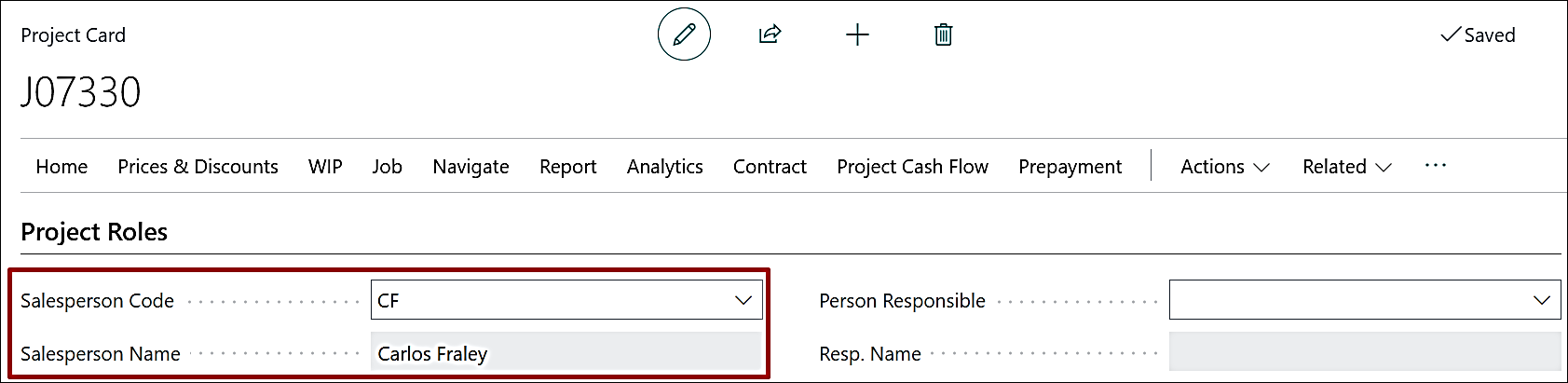
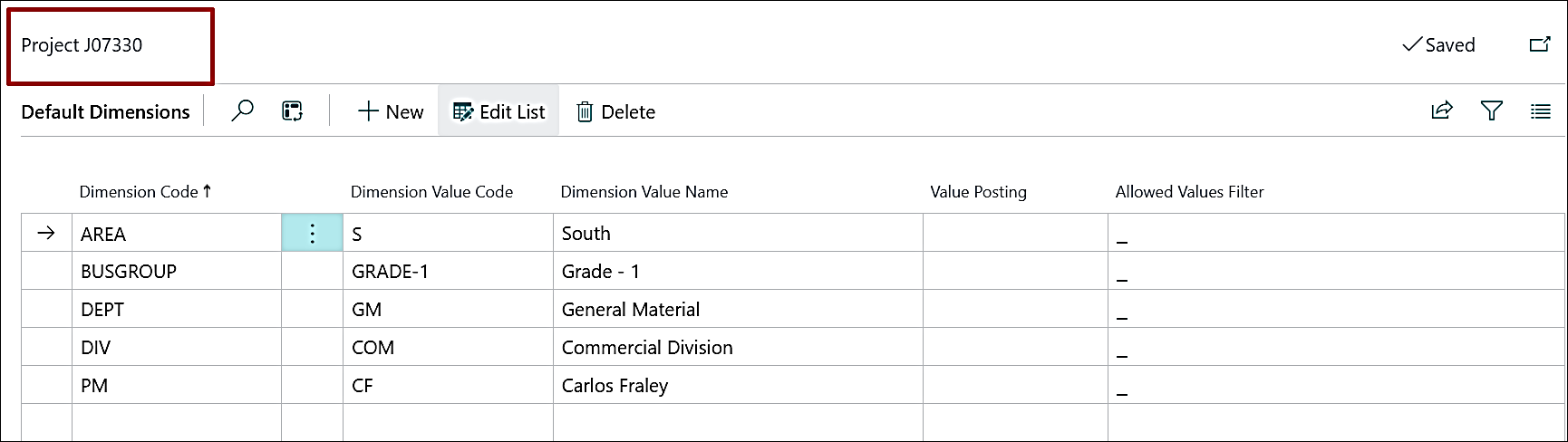
Project Card
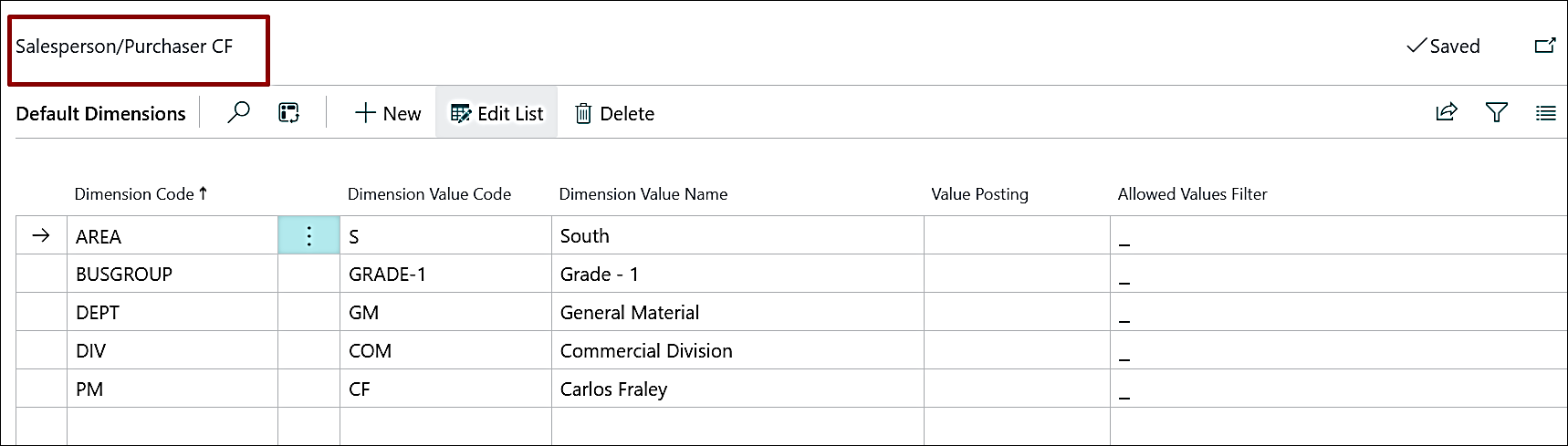
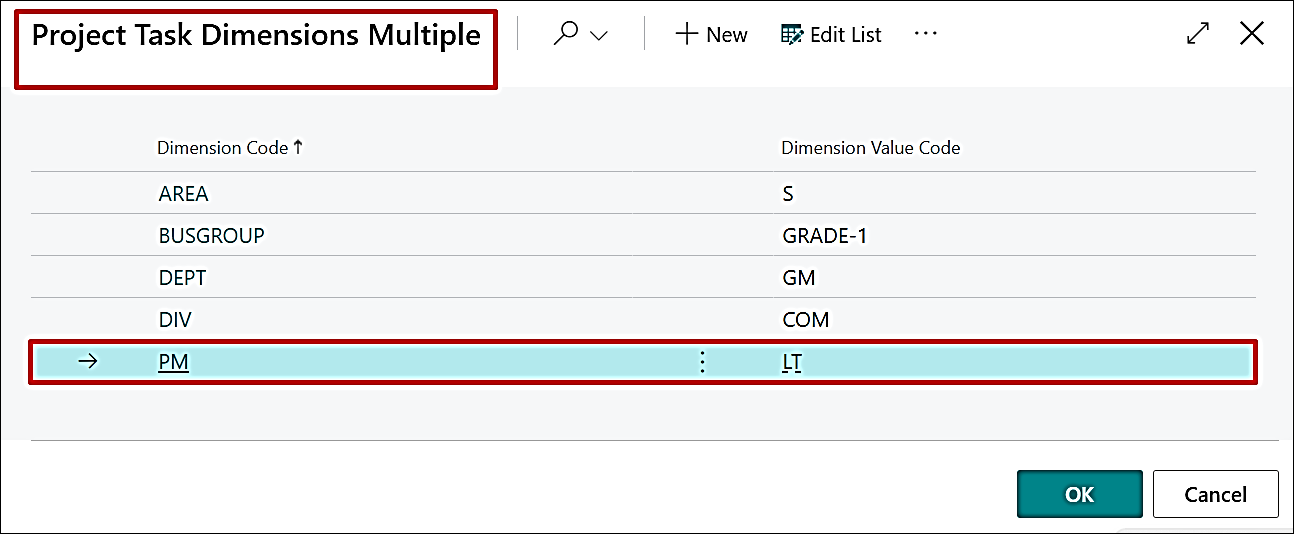
During Project creation, when a Salesperson Code is selected on the Project Card, the corresponding dimensions are automatically populated to the Project Card.
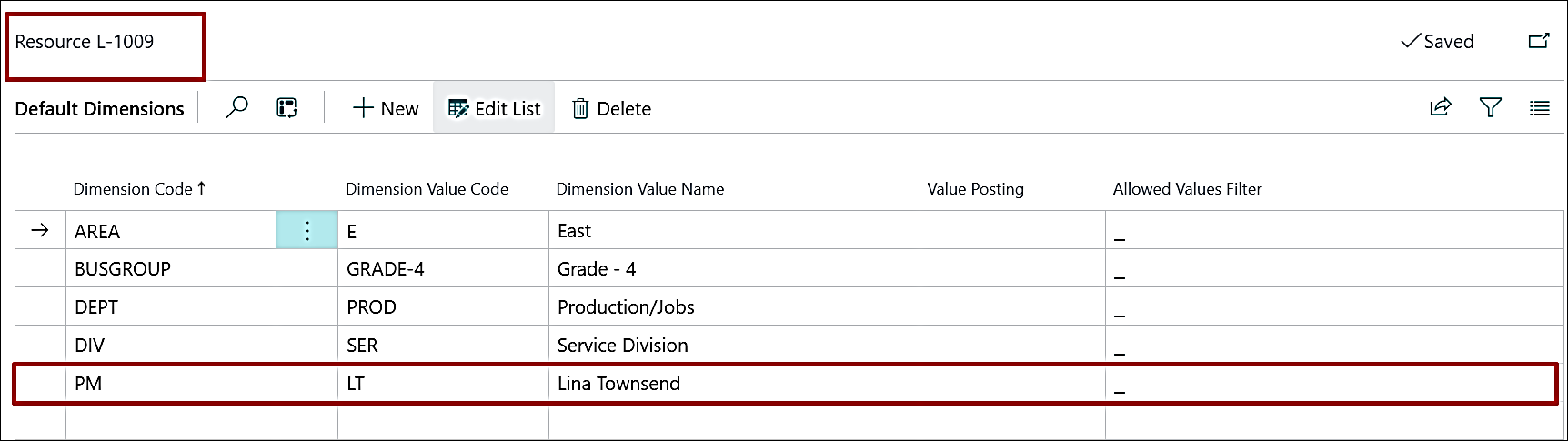
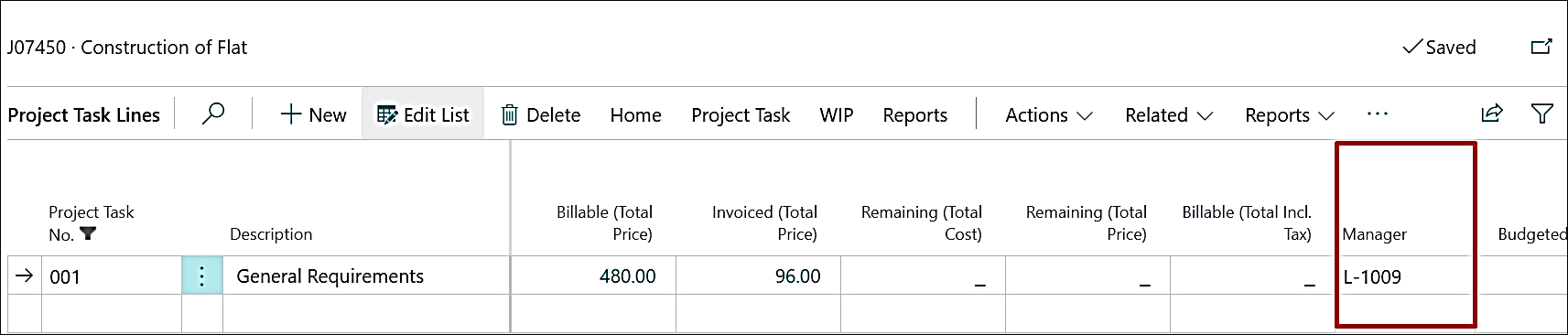
Project Task Lines
When the Manager is assigned or changed on the Project Task, only the PM-related dimension is automatically updated based on the selected Manager's card.
ADO-3795
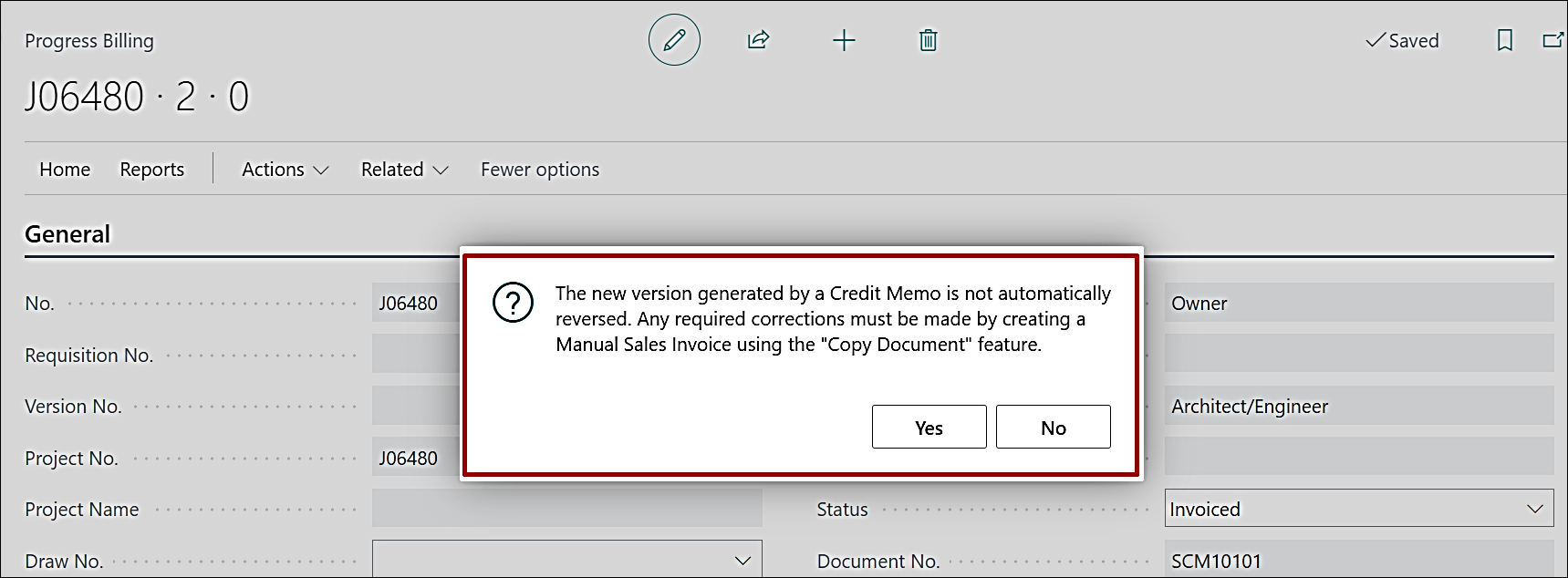
Enhancement – Voiding a Credit Memo in Progress Billing
A confirmation message has been added to guide users when voiding a Credit Memo Requisition, recommending the creation of a Manual Sales Invoice using the Copy Document functionality.
ADO-3782
Enhancement – Edit in Excel with Progress Billing and Subcontract List Pages
The special characters in the different fields on Progress Billings and Subcontracts list pages have been removed in order to work with Edit in Excel.
ADO-3823
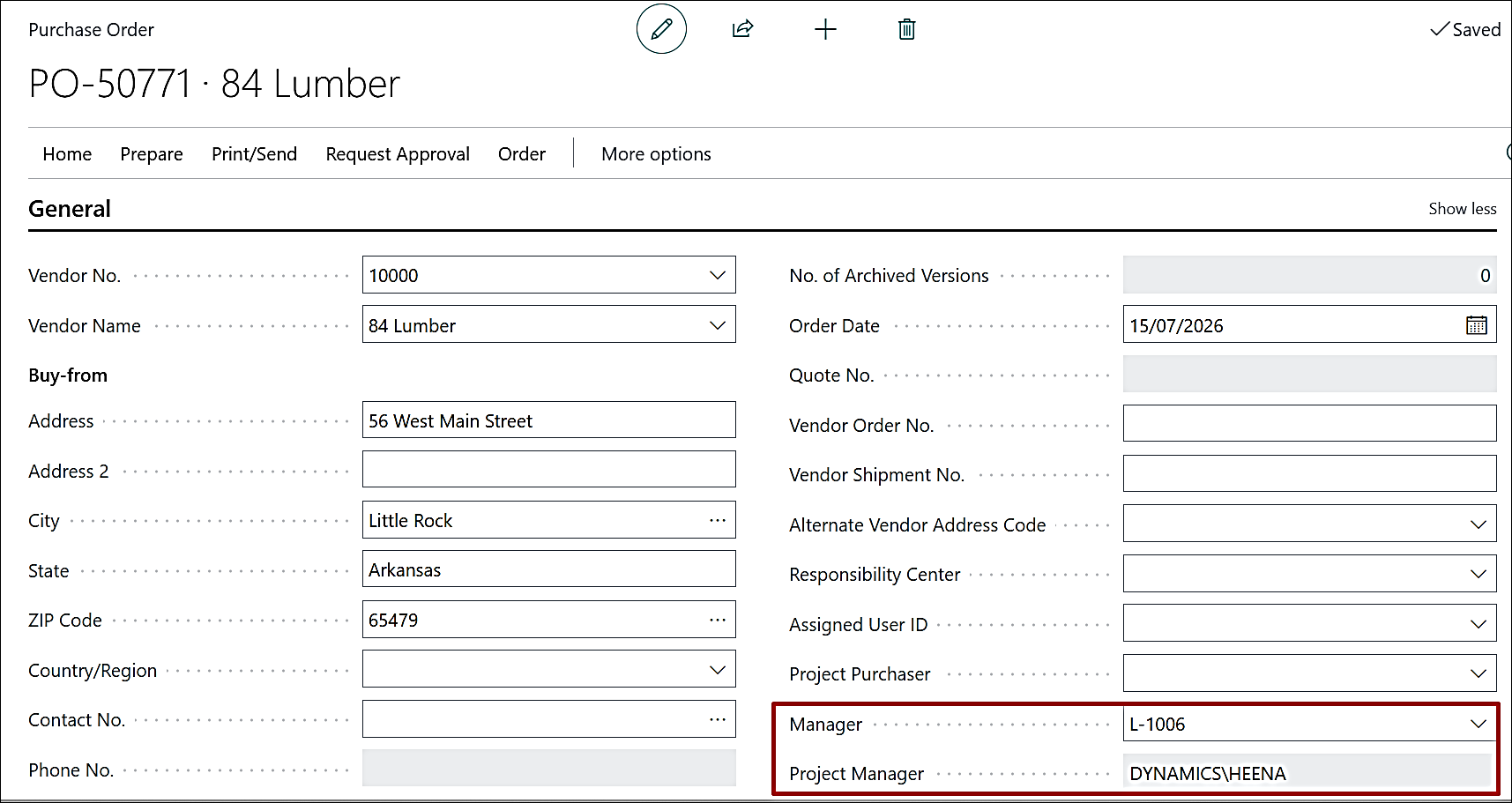
Enhancement – Use Project Manager for Purchase Documents
The existing Project Manager field on the Purchase Document Header has been renamed to Manager, and a new Project Manager field has been added.
This ensures correct mapping of Manager and Project Manager values from the Project Card and improves data clarity.
ADO-3778
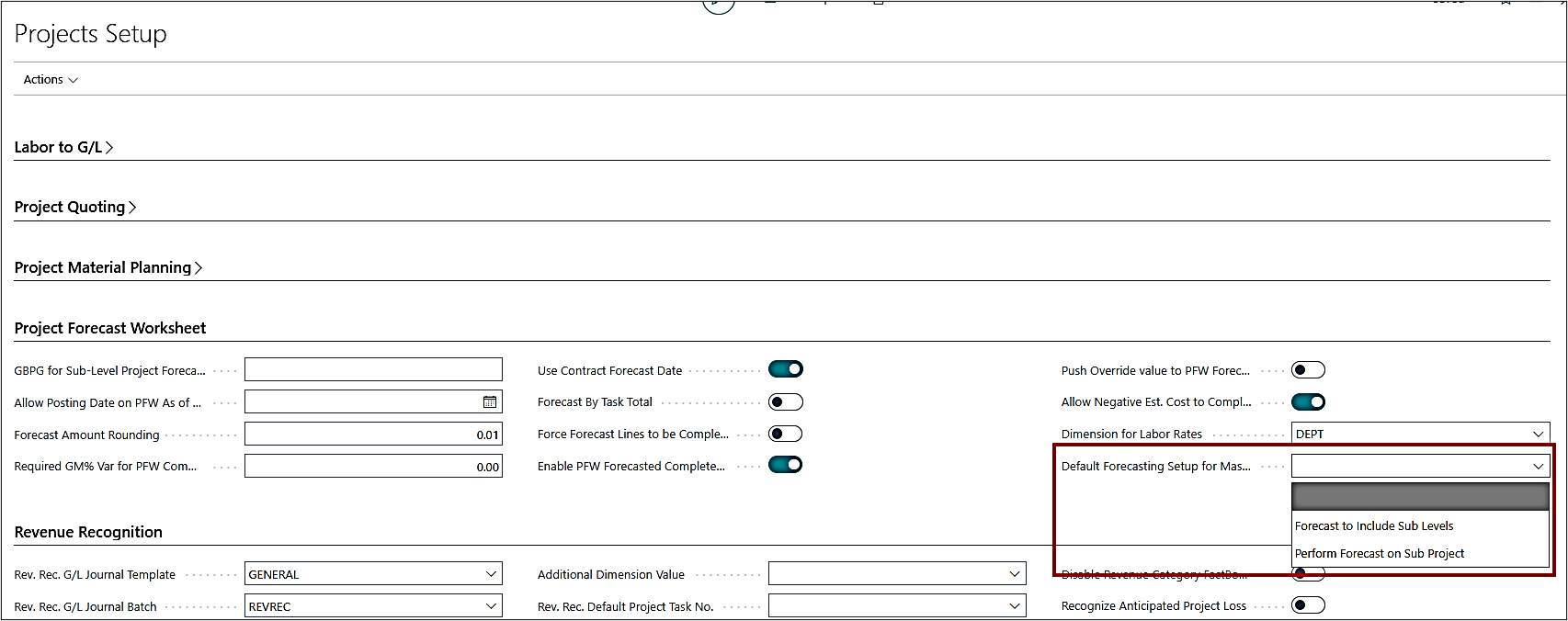
New Feature – Project Setup to Define the Forecasting Level upon Project Creation
A new setting, "Default Forecasting Setup for Master Project," has been added to the Projects Setup. By default, this field is blank. Users can select either "Forecast to Include Sub Level" or "Perform Forecast on Sub Project" from the available options.
The selected option is automatically applied as the default forecasting setup for newly created Master Projects.
ADO-3859
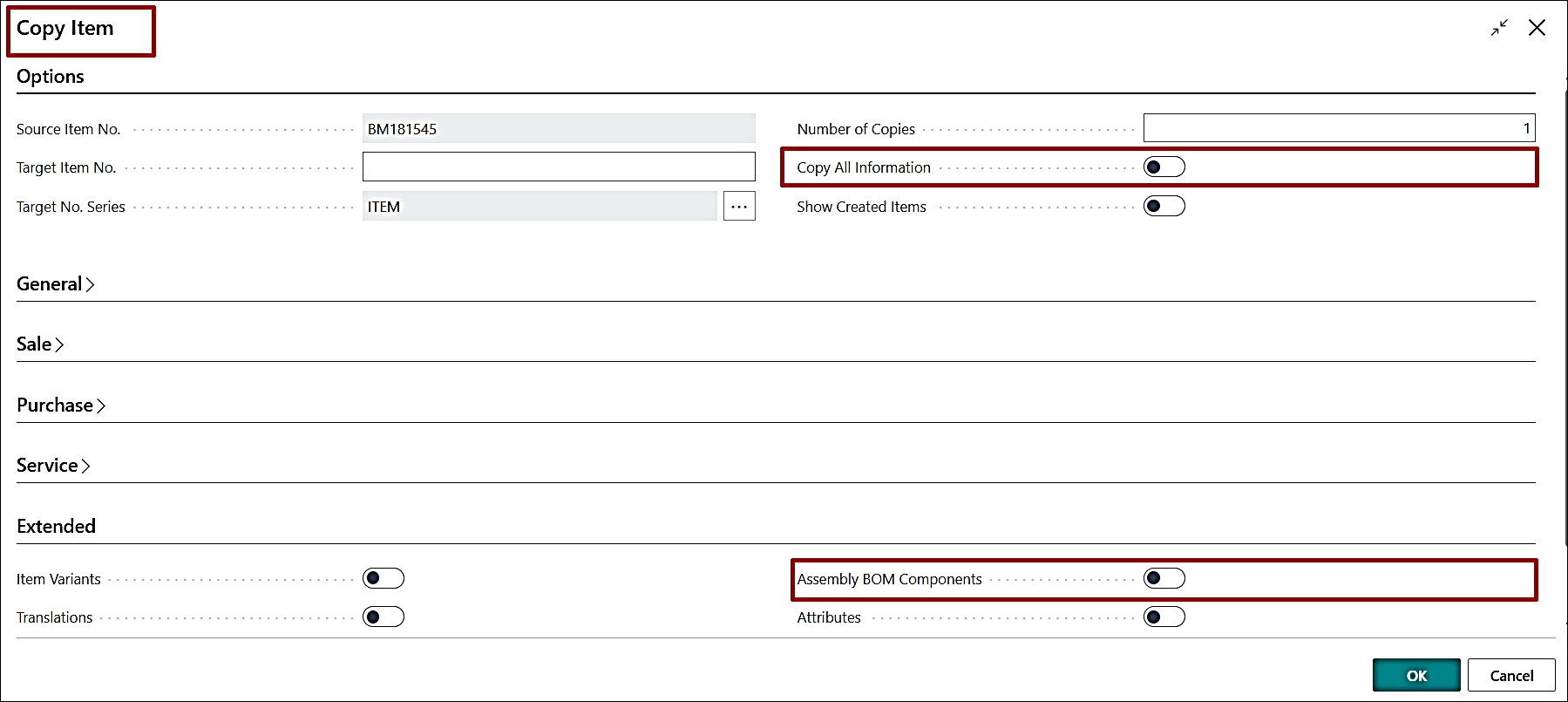
New Feature – Copy Assembly BOM with Build Takeoff
The existing copy options, "Copy All Information" and "Assembly BOM Components", have been enhanced to also copy Build Takeoff items and their associated details from an existing Build Takeoff to the current Build Takeoff, thereby reducing manual effort and ensuring data consistency.
ADO-3849
New Feature – Enhance Project Prepayment Process
- A separate section for Prepayment has been added to the Project card's ribbon, showing all related action buttons under a single area.
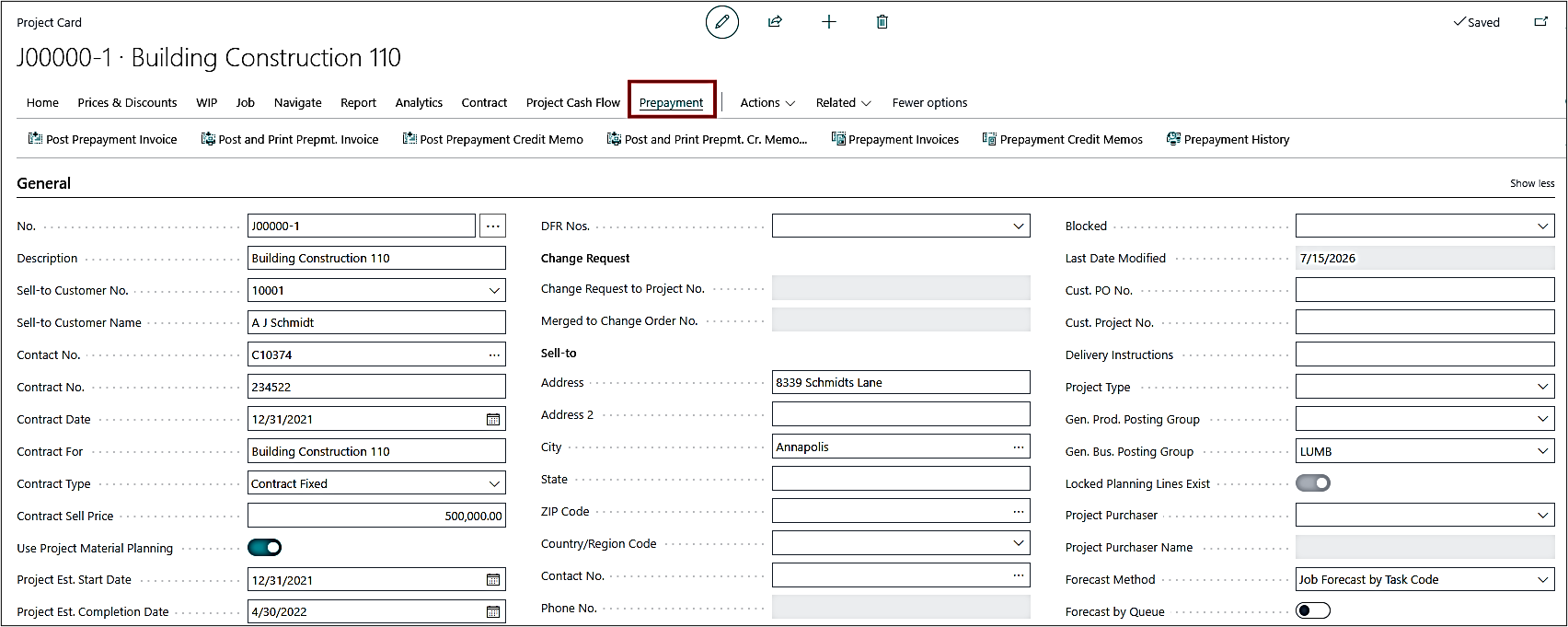
- A confirmation message is now displayed before posting a Prepayment Invoice or Prepayment Credit Memo.
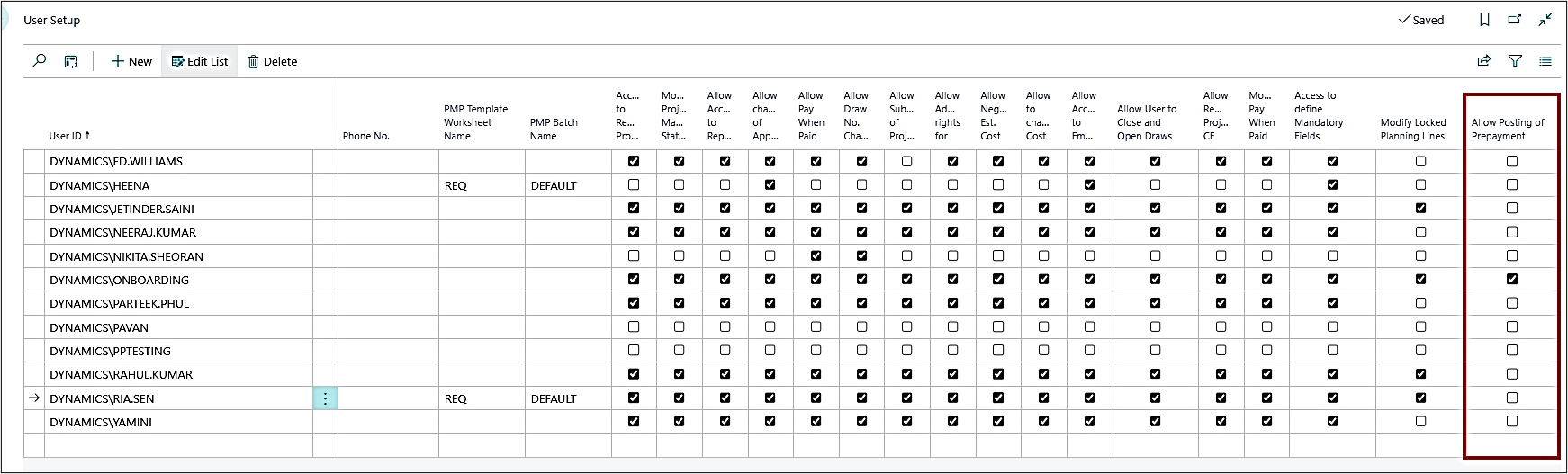
- The prepayment process is now controlled through User Setup. Only users with the required permission can perform prepayment-related actions.
- The Prepayment Due Date can now be set to any valid date. Previously, it was required to match the Work Date.
- The system now prevents posting a Prepayment Credit Memo if no corresponding Prepayment Invoice exists.
ADO-3860
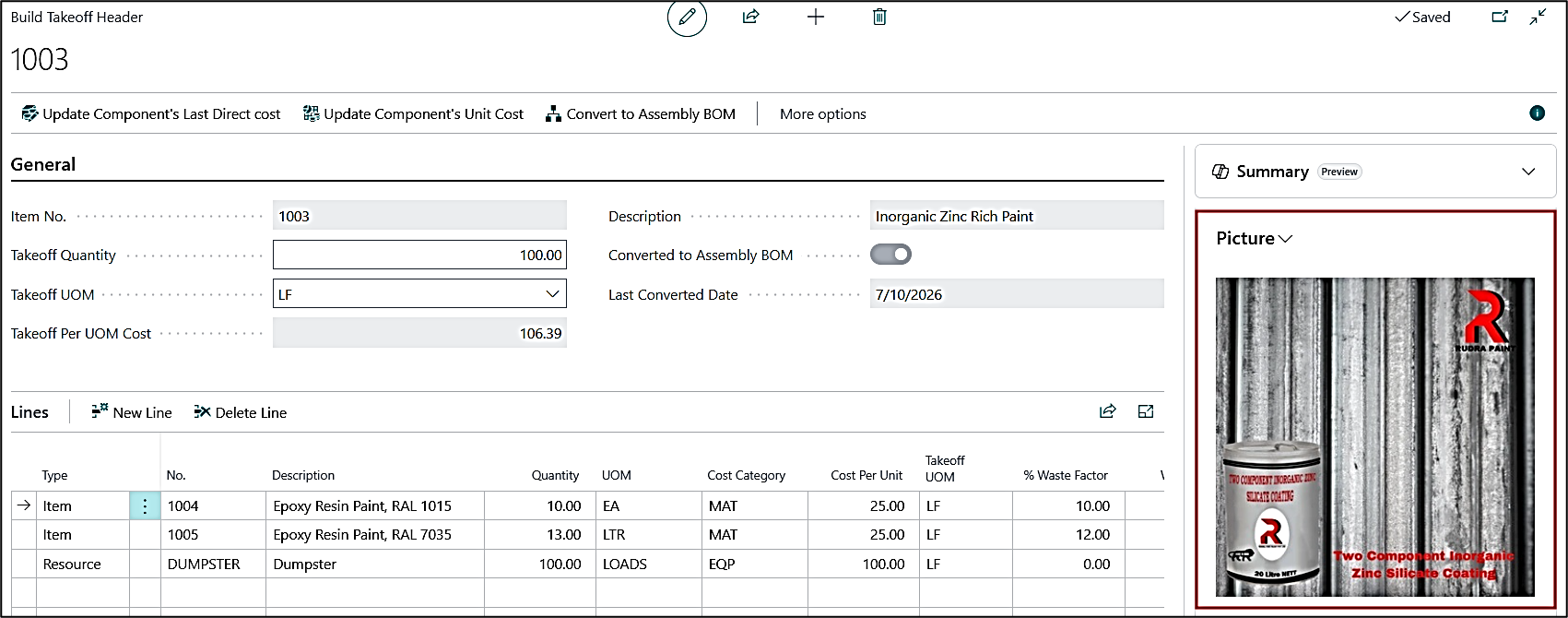
New Feature – Copy Item Image to Build Takeoff
The Build Takeoff card now has an option to show an image in the fact box. The image gets copied from the item card and can be managed from the build takeoff screen as well.
ADO-3847
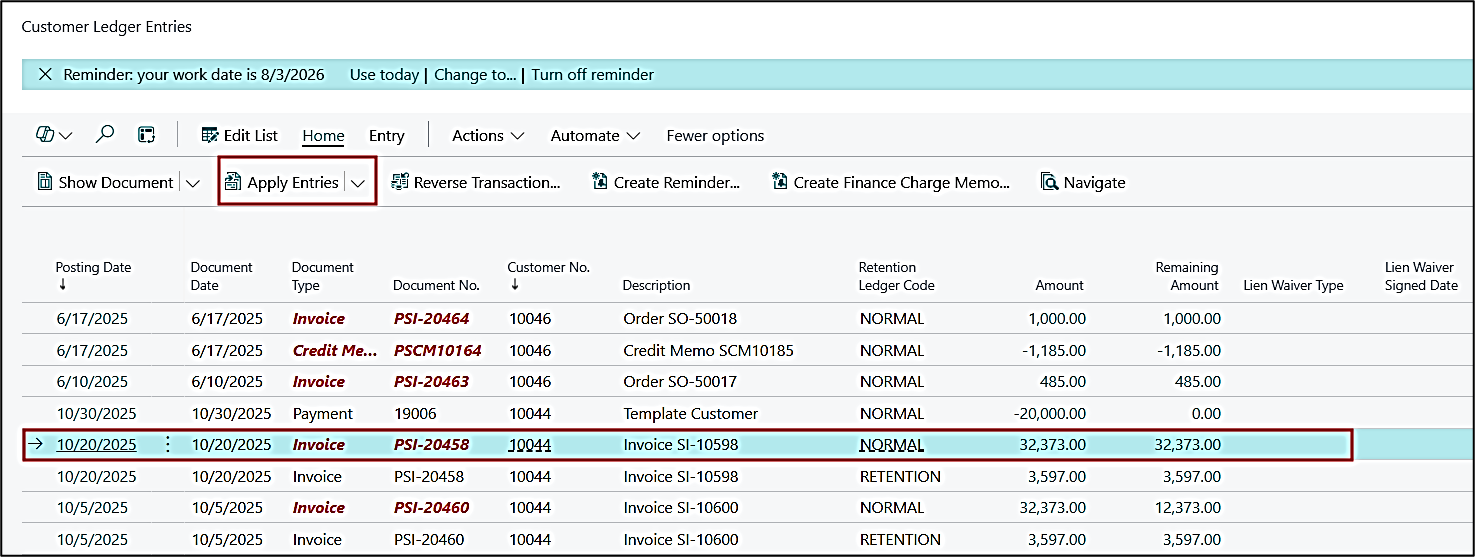
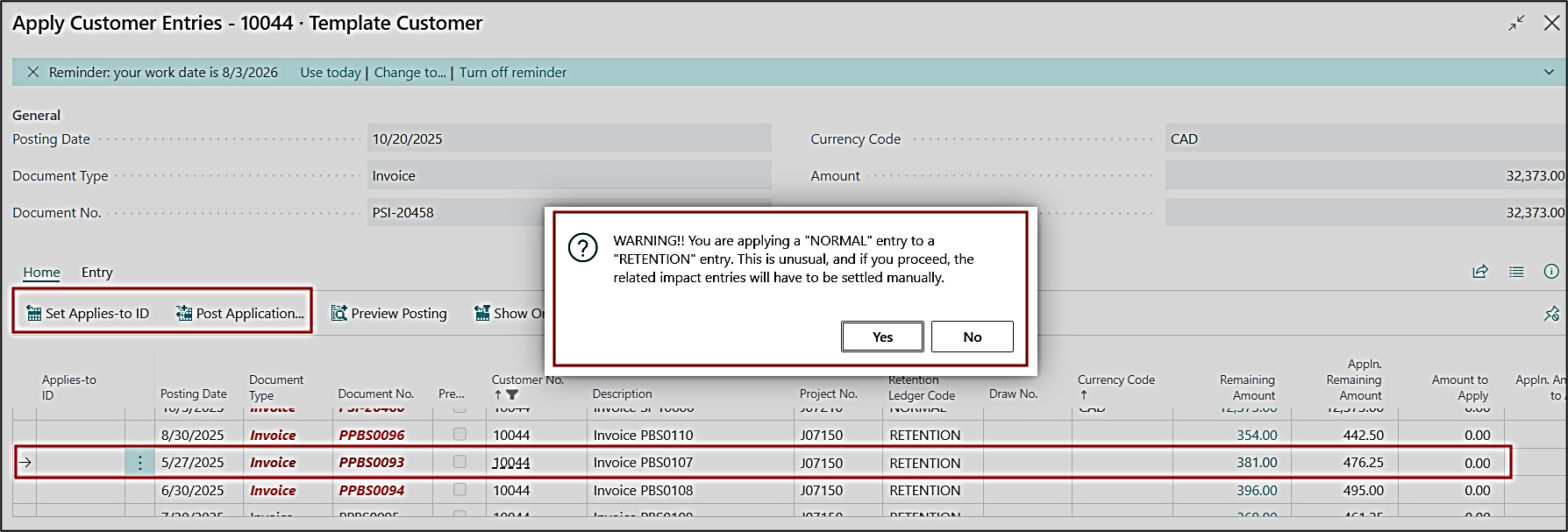
New Feature – Warning Message for Manual Application of Normal to Retention (or vice versa) on CLE
When a "Normal" retention ledger code entry is applied to a "Retention" ledger code entry (codes according to their respective setups), or vice versa, from the customer ledger entries using the "Apply Entries" function, the system now displays a warning message.
The warning message appears when either "Set Applies-to ID" or "Post Application" is selected, whichever is possible.
ADO-3883
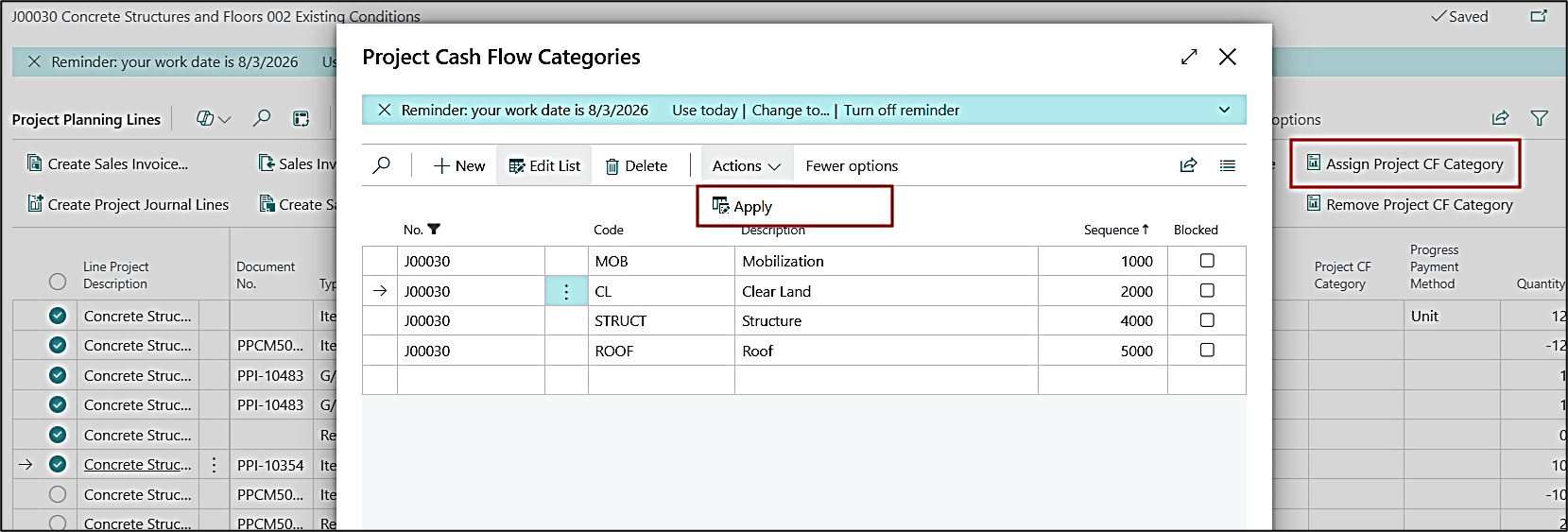
Enhancement – Apply Option on "Assign Project CF Category" Function on Project Planning Lines and Task Lines
The "Apply Project CF Category" function on the project planning lines and project task lines has been enhanced to have an "Apply" option on the page rather than just closing the page. This gives you the option to opt out of the page or exit the page without applying the category if not required.
Warning: Undefined array key "filter" in /home/oyquyaphmrla/public_html/projectpro365.com/product-updates/release-july-2026.php on line 477
ADO-3894
Improvement – Dimensions on Change Order Quote
This work item is a duplicate of ADO 1788 and has been included in this release to maintain functional consistency.
Manually added Task Lines on Project Quotes now inherit dimensions from the Project Card instead of the Customer Card.
ADO-2635
Improvement – Progress Billing Link Code on Project Quote
A new Suggest Billing by Link Code field has been added to the Quote Card. The field defaults from the Projects Setup and is carried forward to the Project Card during Quote Conversion and Project creation.
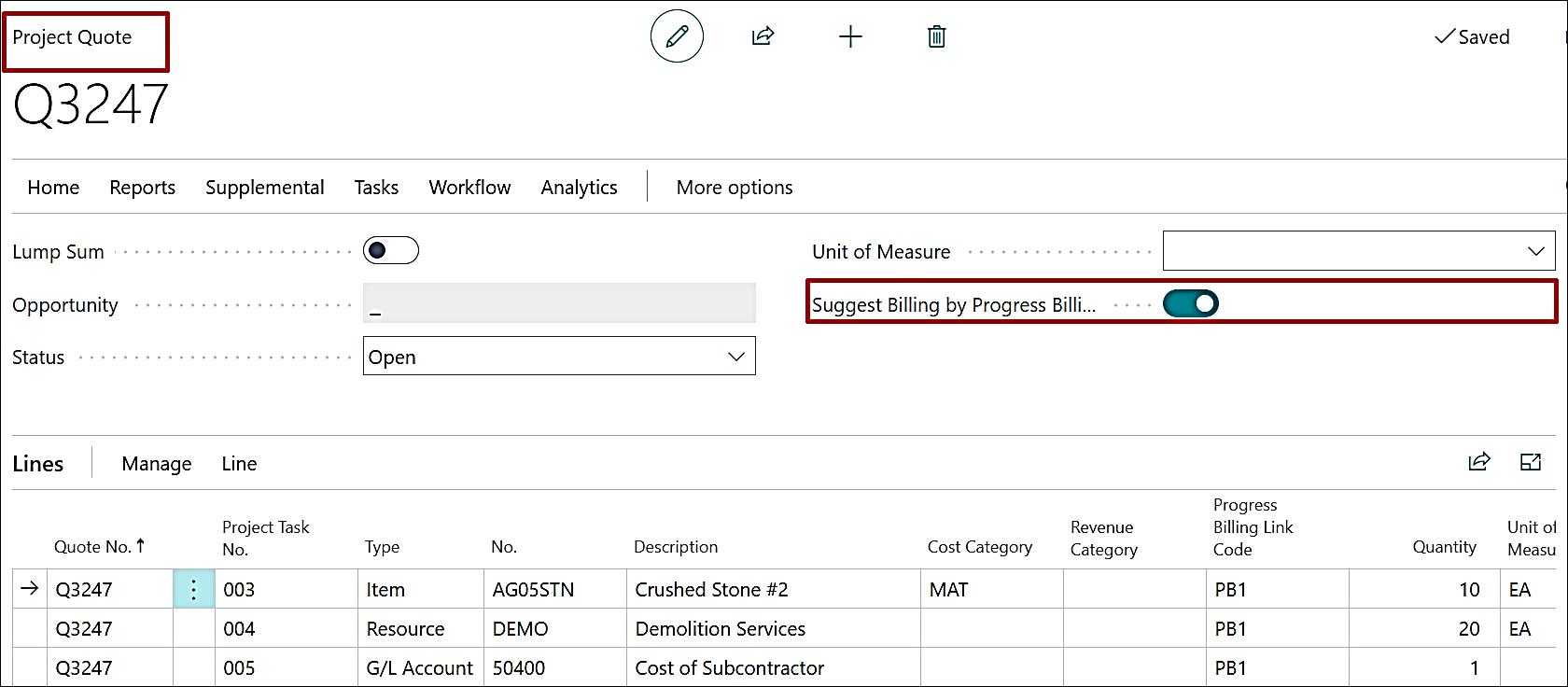
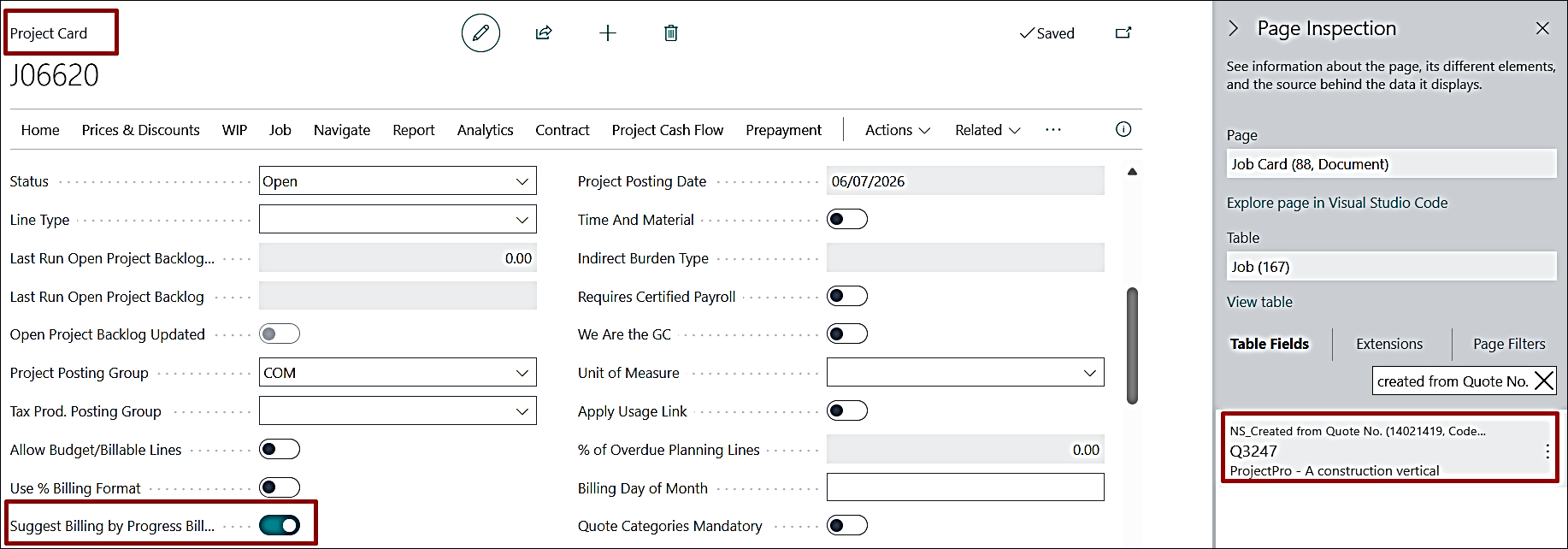
When enabled, Contract Lines are created based on the Progress Billing Link Code assigned to the Project Planning Lines.
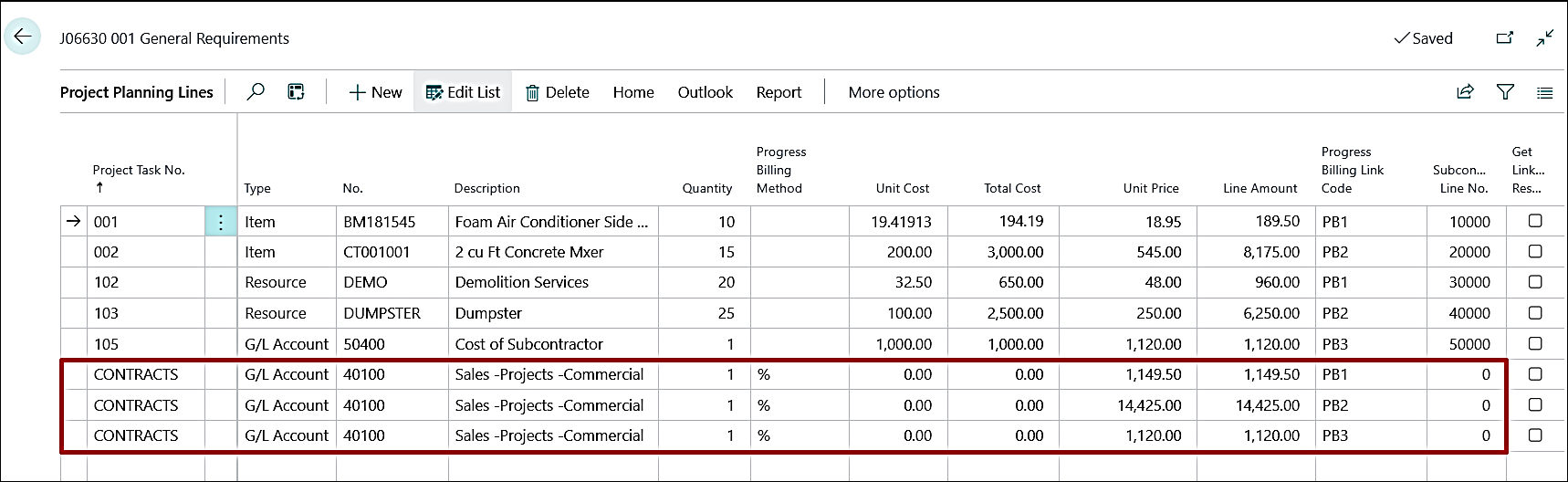
Note: If Segments are assigned to the Project Planning Lines, the system considers both the Segment and the Progress Billing Link Code when creating Contract Lines.
ADO-4079
Improvement – UI Enhancements – Captions, Tooltips, and Field Corrections
- The obsolete fields Linked Resource (Obsolete) and Labor Hours per Qty. (Obsolete) have been removed from the Item Card.
- Additionally, spelling corrections have been made to the A/P Retention Calc. Method on the Projects Setup under the Retention fast tab.
- Detailed descriptions have been added for the A/R Retention Calculation options on the Projects Setup under the Retention fast tab.
- Open Backlog Batch action has been added to the Project List page.