Business Central AI Agents: What They Can Read, What They Can Change, and Who Decides
Business Central AI agents all start in the same place when they connect through the MCP server: read-only, across every exposed page of data, with no exceptions. Nothing about those changes until an administrator deliberately turns something on. Not the AI agent, not a default setting, not a vendor configuration. A named person, in an admin screen, chooses to allow it.
That single fact settles a question a lot of AI coverage never quite answers: whether an AI agent touching your financial system can change something or only look at it. For a contractor running job costs, commitments and subcontractor payments through Business Central, that is the question that matters more than what the agent claims to be capable of.
The Permission Model Behind Business Central AI Agents
Business Central’s MCP server is read-only by default across all exposed API pages, according to Microsoft’s own documentation, most recently updated 17 June 2026. Worth flagging honestly: Microsoft’s release-plan tracker still lists this feature’s general-availability date, as not yet announced, even though the current documentation reads like a shipped, non-preview capability rather than an early-access one. Confirm current status with Microsoft or your partner before you build a rollout plan around it. Write access is a separate, admin-configured decision, and it breaks down into four specific operations: create, modify, delete, and what Microsoft calls “bound actions,” meaning the agent can execute business logic, post a document, or change a record’s status.
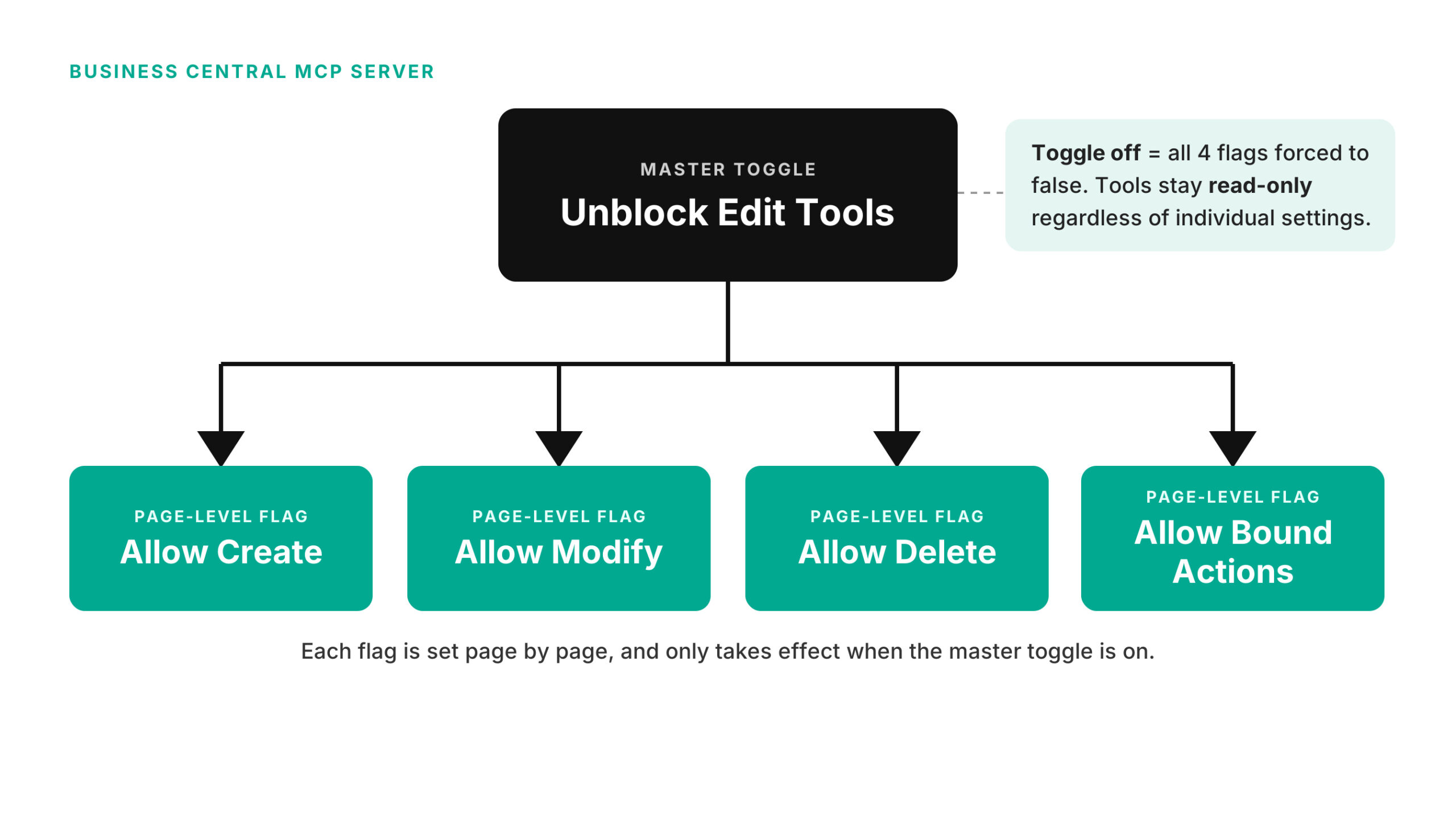
The configuration sits behind its own permission set, “MCP – ADMIN,” required just to set any of this up. From there, an admin adds specific API pages as tools and flags each one, page by page, for allow read, allow create, allow modify, allow delete, allow bound actions. There is also a master switch sitting above all of it: an “Unblock Edit Tools” toggle. Leave that off, and every individual who write flag underneath it is irrelevant, the agent stays read-only regardless of what else is configured. It is a deliberately redundant design, the kind you build when you do not want a single misconfigured checkbox to be the only thing standing between an agent and your ledger.
What “Connecting” Actually Means
The MCP endpoint sits at a fixed address, and any MCP-compliant client can reach it: VS Code with GitHub Copilot, Copilot Studio, Claude, ChatGPT, or the MCP Inspector tool. Microsoft’s own clients, VS Code and Copilot Studio, use preregistered app connections. Every other client, Claude and ChatGPT included, has to register its own Entra ID application before it can connect at all.
Authentication runs on OAuth 2.0 with PKCE, through Microsoft Entra ID as the authorization server. The detail worth sitting with: every operation the agent performs runs under the identity and permissions of whichever user’s credentials authorized the connection, not a shared service account with its own separate access. That is what makes the audit trail mean something. An action taken through an AI agent is not a mystery entry, it traces back to a real person’s authorization the same way any other change in the system does.
Why This Matters for a Contractor’s Books Specifically
Job costing, commitments, subcontractor payments, pay applications: all of it sits behind this exact permission layer, the same one that governs a spreadsheet export or a routine report. An agent with write access could, in principle, post a document or change a job’s status. Whether that ever happens is a governance decision a specific person makes, not a hypothetical risk to wave at.
Walk through what that actually looks like. Say a contractor connects an AI tool to draft weekly cost-to-complete summaries by reading job cost and commitment data out of Business Central. Read-only access covers that entire use case. Nobody needs to touch the Allow Create or Allow Modify flags for a summarizing or reporting agent to do its job, no matter how capable the underlying model is. Write access only becomes relevant when the agent is meant to change something, drafting a purchase invoice, updating a commitment, posting a journal line, and each of those is a distinct decision an admin makes for that specific page, not a blanket setting that comes bundled with “connect an AI agent.” A contractor evaluating a new AI tool can ask a narrower, more useful question than “is this safe”: which pages does it actually need to write to, and does the vendor’s default setup ask for more than that.
Worth separating two things that sound similar and are not. This MCP permission model governs an external AI client connecting in from outside Business Central. A different, separate framework governs Microsoft’s own built-in agents, such as the Payables Agent, which run as system users inside Business Central under their own permission sets, capped so the agent can never exceed the privileges of the person who scheduled its task. Same underlying instinct, keep agents inside a fence, but two different fences, documented in two different places. Worth knowing both exist before assuming one covers the other.
Where Agent 365 Fits
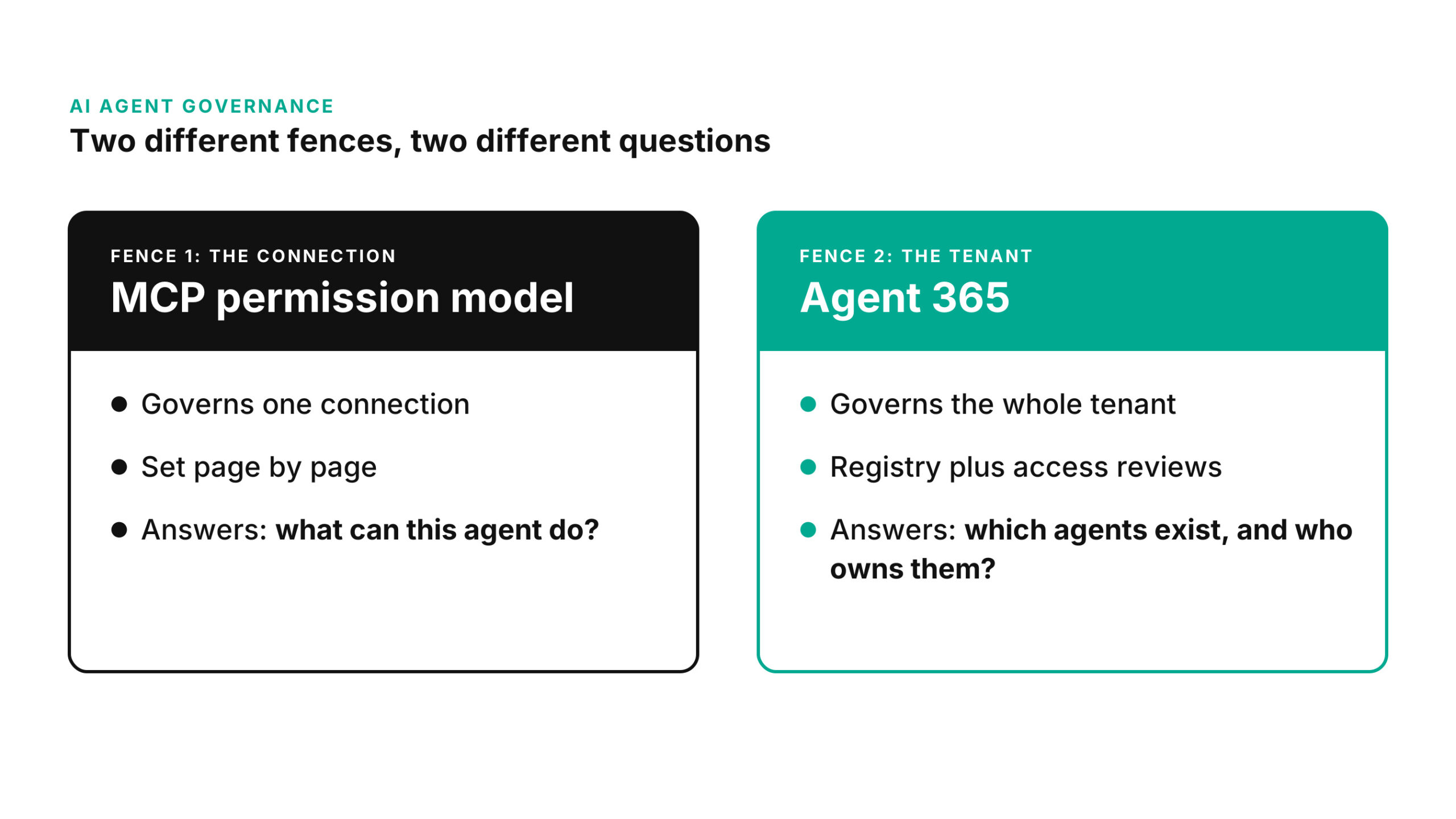
Agent 365 is the layer above individual permission configuration: Microsoft’s control plane for tracking every agent across a tenant as a first-class Entra identity, with a registry, access reviews, and centralized visibility into what each one is authorized to touch. The MCP permission model answers “what can this specific connection do.” Agent 365 answers “which agents exist in my tenant at all, and who is accountable for each one.” A contractor running several AI tools eventually needs both questions answered, not just the first one.
Before You Flip the Switch
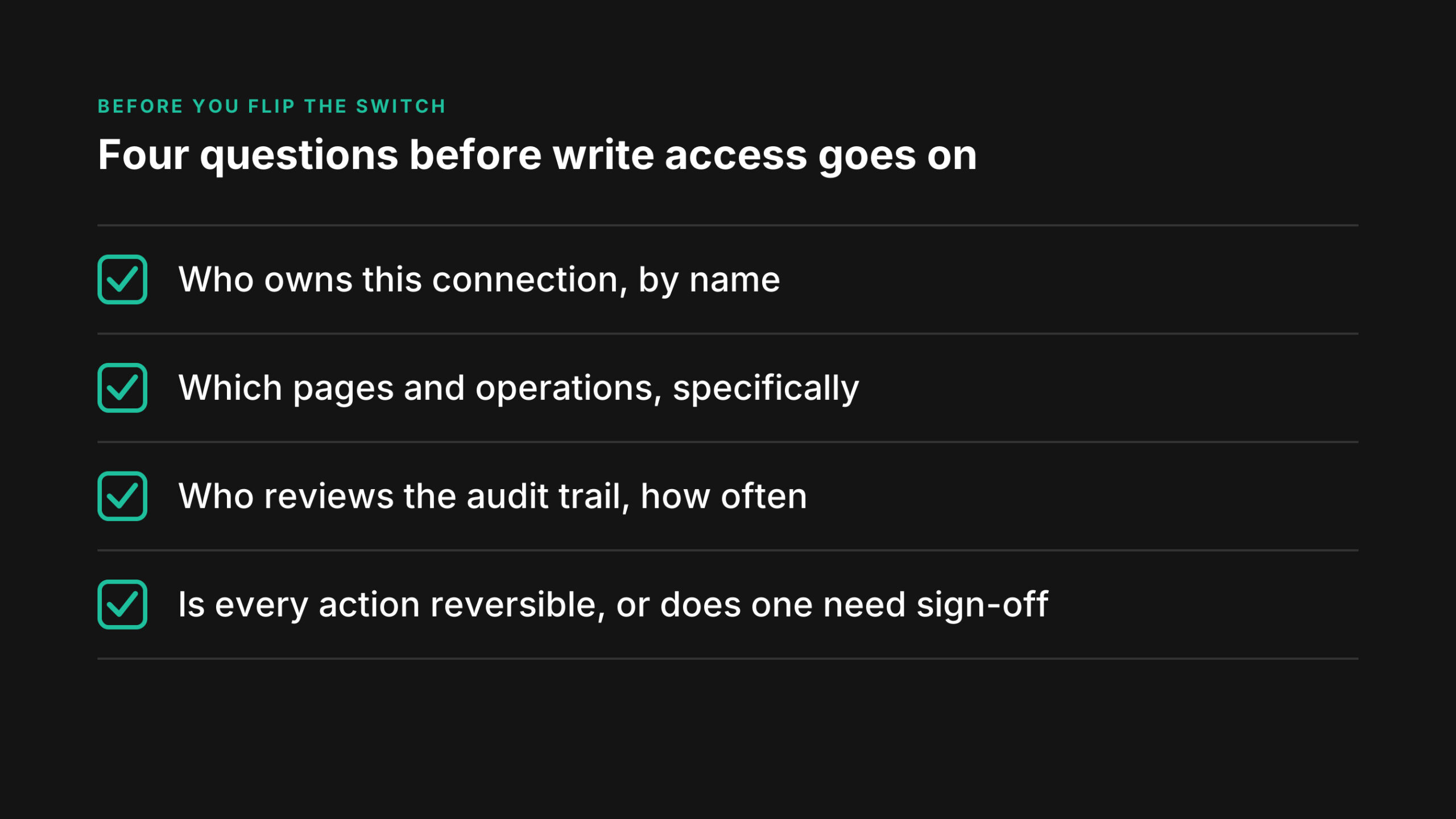
A short list worth working through before anyone enables write access, for any agent, on any page:
Who owns this specific agent connection, by name, not by department. Exactly which pages and operations does “write access” cover for this one, not “write access” as a general concept. Who reviews the audit trail, and how often. Is every action this agent could take reversible, or does at least one of them, a posted document, a deleted record, need a second person’s sign-off before it happens.
What a Misconfigured Agent Actually Puts at Risk
None of this is a theoretical risk-speak. Follow the mechanism through, and the actual exposure is narrow and specific, not a vague “AI could do anything” concern. If an admin turns on Unblock Edit Tools and then leaves Allow Modify or Allow Bound Actions checked on a page it did not need, an agent connected through that configuration could change or post something on that specific page, using the authority of whoever’s credentials authorized the connection. It could not reach a page that was never added as a tool in the first place, and it could not exceed what that authorizing user’s own account is permitted to do. That is the actual boundary: not “an AI agent with access to your ERP,” but “one authorized user’s permissions, extended to a tool that runs faster and more often than that person would run it by hand.”
That framing changes the review question. Instead of asking whether an AI agent could theoretically cause damage, an admin can ask something answerable: whose credentials authorized this connection, does that person’s own access exceed what the agent’s task actually requires, and would a mistake made through the agent look any different in the audit trail than the same mistake made by that person directly. For most contractors, that person is someone in IT or finance, not the agent vendor, which is exactly why the setup step, not the AI model, is where the real governance work happens.
Where ProjectPro Fits
ProjectPro’s job costing, procurement, and financial data live inside this same Business Central data model, which means this permission mechanism governs any AI feature touching a contractor’s numbers, whether that feature comes from Microsoft, from ProjectPro, or from a third party a contractor connects in independently. There is no separate, softer set of rules for construction-specific data. The fence is the same fence.
Ask the Switch Question, Not the Capability Question
Most AI coverage asks what an agent can do. The more useful question for anyone running financial data through Business Central is narrower: for this specific agent, on this specific page, who turned write access on, and could they turn it back off in the time it would take to notice something went wrong. Microsoft built a real answer to that question into the platform. Whether anyone at your company can actually answer it today is a separate matter, and worth finding out before an agent’s capabilities are the thing you are evaluating.
Next Step
If your team is evaluating an AI tool that would connect to Business Central or already has one connected and is not sure exactly what it can touch, the ProjectPro team can walk through your specific permission configuration, page by page, alongside your own environment. Talk to the ProjectPro team before you flip the switch on write access.
FAQs
It is the mechanism that lets external AI clients, such as Claude, ChatGPT, VS Code with GitHub Copilot, or Copilot Studio, connect to Business Central data and functionality. It is read-only by default across every exposed page, with write access available only through explicit admin configuration.
Not through default configuration. Write access requires an administrator to enable a master toggle and then flag specific pages for create, modify, delete, or bound actions individually. Every action an agent takes runs under the Entra ID identity that authorized the connection, so it appears in the audit trail attributed to that identity, the same as any other user action.
The MCP server’s permission model governs what an external AI client connecting into Business Central can read or change. Agent 365 is a separate, broader control plane that tracks every AI agent across a Microsoft tenant, Business Central agents included, as identities with their own registry and access reviews. One governs a specific connection’s access, the other governs visibility and accountability across all agents a tenant is running.
Not according to any public ProjectPro page as of this writing. ProjectPro’s product pages describe Microsoft Copilot capability inherited from Business Central, not a separate, ProjectPro-specific AI agent with its own permission model. If that changes, it would be worth revisiting.
Microsoft’s Business Central MCP server documentation describes it in standard, non-preview terms, most recently updated 17 June 2026. Microsoft’s release-plan tracker, however, still lists the feature’s general-availability date as not yet announced. Confirm current status with Microsoft or your partner before you build a rollout plan around it. A separate, related capability, connecting AI agents to the Business Central admin center specifically for environment management rather than business data, is explicitly labeled preview.