If your team bookmarked releaseplans.microsoft.com to keep an eye on what’s coming to Business Central, that bookmark is about to stop working. The Dynamics 365 Release Planner retirement, announced by Microsoft on August 25, 2026, comes down to two dates worth writing down: new content stopped landing in the old planner starting in September 2026, and the tool itself shuts down completely on November 15, 2026, about eight weeks from today. Richard Riley, General Manager for Agents and Low Code at Microsoft, made the announcement in a Dynamics 365 Blog post. The replacement has a name: the AI at Work roadmap.
None of this changes anything inside Business Central itself. It changes how you find out what’s changing inside Business Central, which for an IT admin managing a live ERP system is a different kind of problem, and one with a real deadline attached.
Why Business Central IT Admins Should Care About a Planning Tool
Release Planner never touched a single Business Central transaction. It was a discovery tool: a place to filter by product and see what Microsoft planned to ship, often months before it shipped, so a technical team could plan testing, flag conflicts with customizations, and brief operations leaders before a new capability showed up in a live tenant.
For a contractor running job costing, subcontractor payables, and certified payroll through Business Central, that lead time is not a nice-to-have. A release wave feature can change how a screen behaves, add a setting that needs a decision, or retire something a workflow depends on. Finding out from a support ticket instead of a roadmap page is a worse way to learn about it, and usually a more expensive one.
Netsmartz sees this from the partner side too. Advising a client on when to test a new feature, or whether an upcoming Copilot capability is worth turning on, starts with knowing it exists before it lands in their environment. Release Planner was where that discovery happened for Dynamics 365 broadly, Business Central included. Starting in September 2026, it stopped being where that happens, whether or not anyone using it had updated their habits yet.
The Two Dates in the Dynamics 365 Release Planner Retirement
Microsoft’s announcement lays out the transition as a short table, and the two endpoints are worth keeping straight because they mean different things.
September 2026 is when new roadmap items stopped publishing to the old Release Planner. Every new Dynamics 365, Power Platform, and Dataverse capability, Business Central included, now goes directly to the AI at Work roadmap instead. Release Planner itself did not disappear at that point; it simply stopped receiving anything new.
Existing content is moving over on its own timeline. Roadmap items with a public preview or general availability date of June 1, 2026 or later are transitioning into the AI at Work roadmap experience between September and November 2026.
November 15, 2026 is the second date, and the one worth a calendar reminder. In Microsoft’s own words, that is when “the transition completes and Release Planner retires.” After that date, the old tool is gone. Any bookmark, saved filter, internal wiki link, or onboarding document pointing to releaseplans.microsoft.com stops resolving to anything useful.
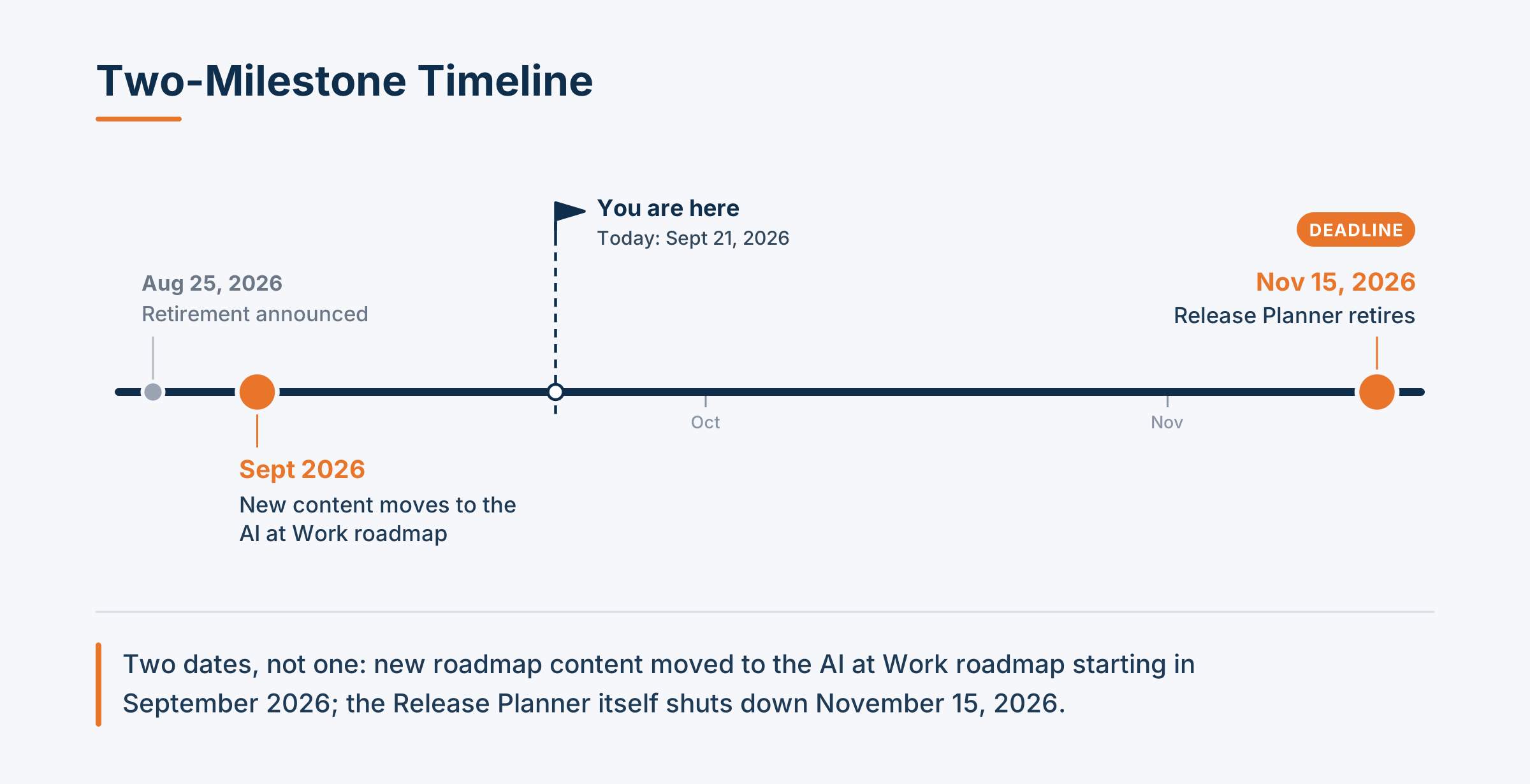
Reading only the headline, “Release Planner is retiring,” makes it easy to assume there is one deadline. There are two separate events about two months apart, and only the second one is a hard stop.
What Changes: From Release Planner to the AI at Work Roadmap
The AI at Work roadmap is not a Business Central-specific tool. It is Microsoft’s consolidated view across Dynamics 365, Power Platform, Dataverse, Microsoft 365, Copilot, and Copilot Studio agents, all in one place, filterable down to the products and environments a given organization actually runs. Riley’s post explains the reasoning directly: “Few organizations run a single Microsoft product in isolation.” Bringing everything into one feed, he writes, means a team can “see what is coming across all of these products in one view, filter it to your own environment, and plan across products.”
Practically, an admin who only cares about Business Central sets a filter once and gets a feed of Business Central items, plus any related Power Platform or Copilot components, updated on a rolling basis instead of twice a year. The old release wave 1 and release wave 2 structure, spring and fall, is going away as a publishing rhythm, even as Microsoft says it will keep shipping updates on a predictable cadence behind the scenes. New items now get published, in the company’s words, “as soon as plans are committed and ready to share,” rather than held back for a scheduled wave.
The shift also fits a broader pattern across Microsoft’s ecosystem: agent-based features and Copilot capabilities increasingly ship on their own timeline rather than a fixed one, because the models and services underneath them move faster than a twice-a-year release cycle was ever built to handle. Consolidating the roadmap looks like Microsoft’s attempt to keep one current picture of that pace, instead of forcing continuous AI development back into a biannual publishing calendar designed for a slower era.
That is a real change in how information arrives, not just where it lives. A twice-a-year deadline was easy to build a habit around. A continuous feed is not, unless something replaces that habit.
Microsoft’s Four Preparation Actions for Business Central Roadmap Tracking
Microsoft’s announcement lists four preparation steps under the heading “How to prepare for the transition.” Here is what each one means in practice for a team tracking Business Central.
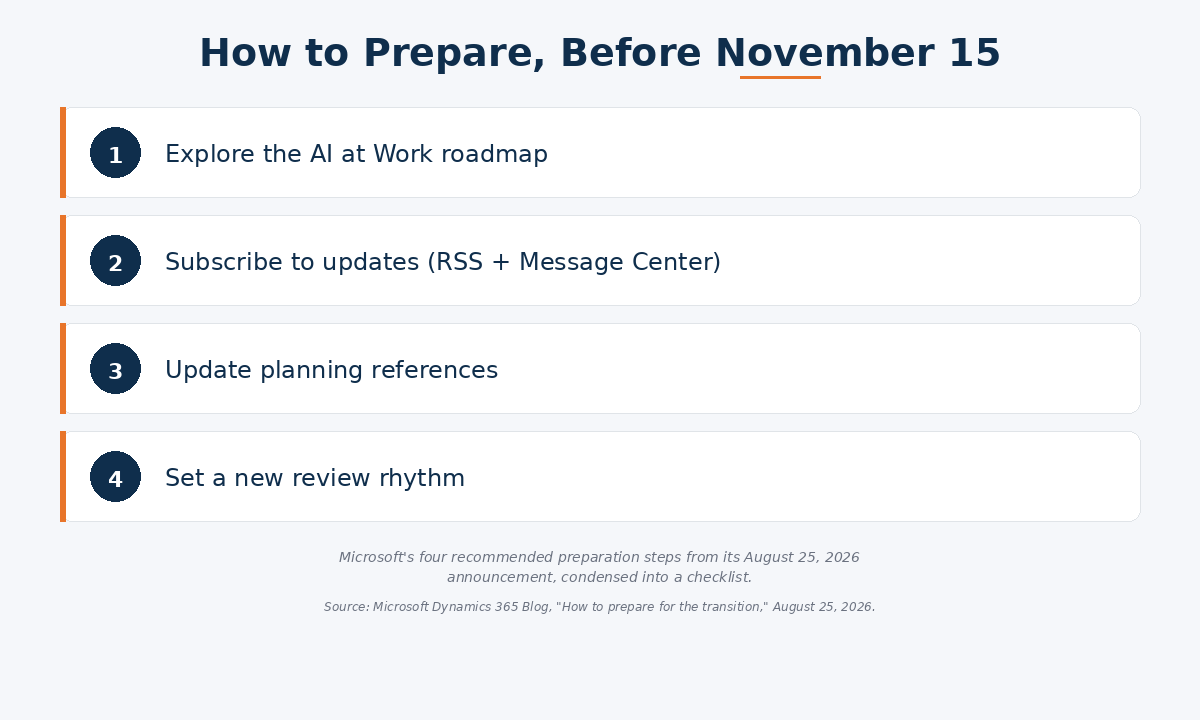
Explore the AI at Work roadmap. Microsoft’s advice is to spend a few minutes on the roadmap and set filters for the products and cloud environments your organization uses. For a Business Central admin, that means filtering down to Business Central specifically, and to any Power Platform or Copilot components your environment actually touches, instead of browsing the full Dynamics 365 catalog. Do it once, save the filtered view, and the twice-a-year browsing habit turns into a five-minute check.
Subscribe to updates. Microsoft points teams toward RSS for filtered roadmap views, alongside the Microsoft 365 Message Center for anything specific to your own tenant. The two serve different jobs: RSS tells you what is coming to the product generally, and Message Center tells you what is coming to your tenant specifically, on your own timeline. A Business Central admin should have both set up, not just one.
Update planning references. If a runbook, a change-management wiki, a stakeholder deck, or an onboarding document links to releaseplans.microsoft.com, that link needs a new destination before November 15. Microsoft notes that “transition guidance will be available throughout the migration period,” which helps, but an internal link audit now still beats discovering a dead link in the middle of an actual change window.
Set your own review rhythm. This is the least mechanical of the four, and arguably the most important for a team used to the old structure. Release wave 1 and release wave 2 gave organizations, as Microsoft puts it, “a fixed moment twice a year to gather stakeholders and plan the period ahead.” Microsoft’s own recommendation is a recurring review, monthly or quarterly, built on a saved filter and an RSS subscription, since the wave calendar that used to force that conversation is disappearing. For a contractor’s IT team, that probably means adding a standing item to an existing change-management or IT steering call, and naming one owner, rather than waiting for the old spring and fall reminders that will not arrive anymore.
Where ProjectPro Fits
ProjectPro does not run its own separate roadmap process, and this change does not touch ProjectPro’s release process directly. ProjectPro is built natively on Business Central, which means every Business Central roadmap item, Copilot feature, platform update, or Power Platform integration point that shows up in the AI at Work roadmap is something a ProjectPro environment can eventually inherit.
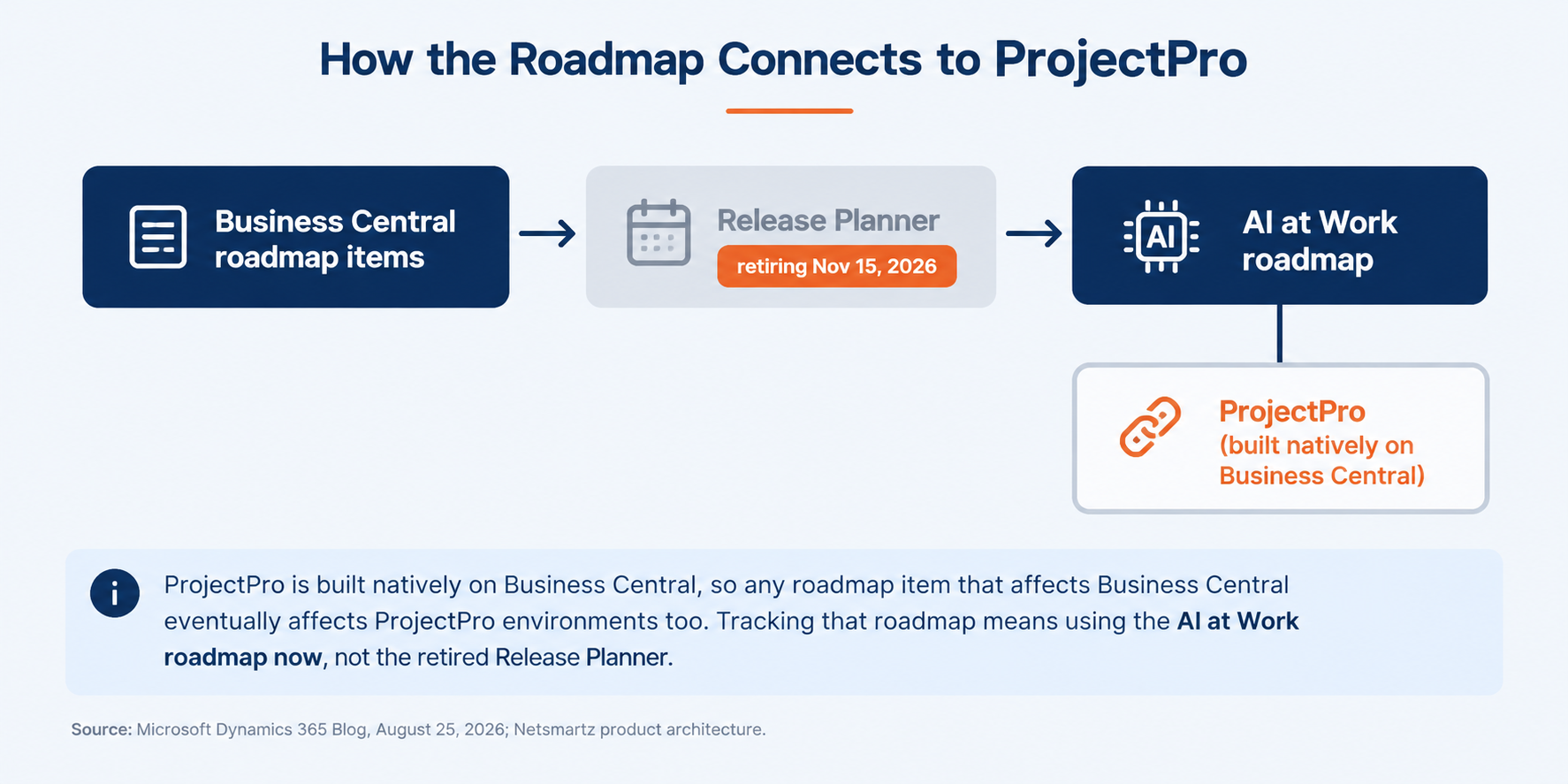
That is the actual connection, and it is worth stating plainly rather than stretching it: this is a Microsoft platform change, not a ProjectPro-specific one. But any contractor, admin, or partner who has been using Release Planner to watch Business Central’s roadmap, whether to plan a version upgrade, evaluate an upcoming Copilot agent feature, or brief a client ahead of a release, needs to make the same move as everyone else running Business Central. Netsmartz’s Microsoft practice is doing exactly that: updating our own internal tracking to the AI at Work roadmap, and building it into how we brief ProjectPro customers on what is coming, rather than treating it as a one-time bookmark swap.
This Is a Small Fix with a Real Deadline
None of the four preparation steps above takes more than an afternoon, and most take less. Set a filter, subscribe to two feeds, update a handful of internal links, and pick a recurring meeting slot. The work is small. The deadline is not flexible: November 15, 2026 is when Microsoft turns the old tool off, not when it starts winding down.
For a Business Central or ProjectPro environment, the practical move is to treat this Dynamics 365 roadmap change the way you would treat any other platform dependency going away: assign it to a person, put a date on it before November 15, and confirm it got done instead of assuming it did. If your team already relies on Netsmartz for Microsoft roadmap guidance, this is a fair prompt to ask what we are tracking on your behalf, and how we are doing it now that the old tool is gone.
Want to know what the roadmap change means for your own Business Central or ProjectPro environment? Talk to our team.
Frequently Asked Questions
Release Planner was Microsoft’s tool for publishing upcoming Dynamics 365 and Power Platform features by twice-yearly release wave. Microsoft is retiring it because, in GM Richard Riley’s words, “few organizations run a single Microsoft product in isolation,” and the company wants one continuously updated roadmap across Dynamics 365, Power Platform, Dataverse, Microsoft 365, and Copilot rather than separate, wave-based schedules. The retirement was announced August 25, 2026, and takes effect November 15, 2026.
September 2026 is when new roadmap content stopped being added to Release Planner and started publishing directly to the AI at Work roadmap instead. November 15, 2026 is when Release Planner itself is fully retired. Existing roadmap items, those with a public preview or general availability date of June 1, 2026 or later, transition to the new roadmap between those two dates.
It affects Business Central along with every other Dynamics 365, Power Platform, and Dataverse product. Business Central has published its release-wave plans through the same Release Planner system as the rest of Dynamics 365, so any team tracking upcoming Business Central features through that tool needs to move to the AI at Work roadmap before November 15, 2026.
Microsoft’s replacement is the AI at Work roadmap, at aka.ms/AIatWorkroadmap. It covers Dynamics 365, Power Platform, Dataverse, Microsoft 365, Copilot, and Copilot Studio agents in one filterable view, and it publishes new items on a rolling basis rather than twice a year.
No. ProjectPro does not run a separate Release Planner-style roadmap process. Because ProjectPro is built natively on Business Central, its relevant roadmap items are the same Business Central items published through Microsoft’s roadmap tools, first Release Planner and now the AI at Work roadmap. There is one roadmap to track, not two.