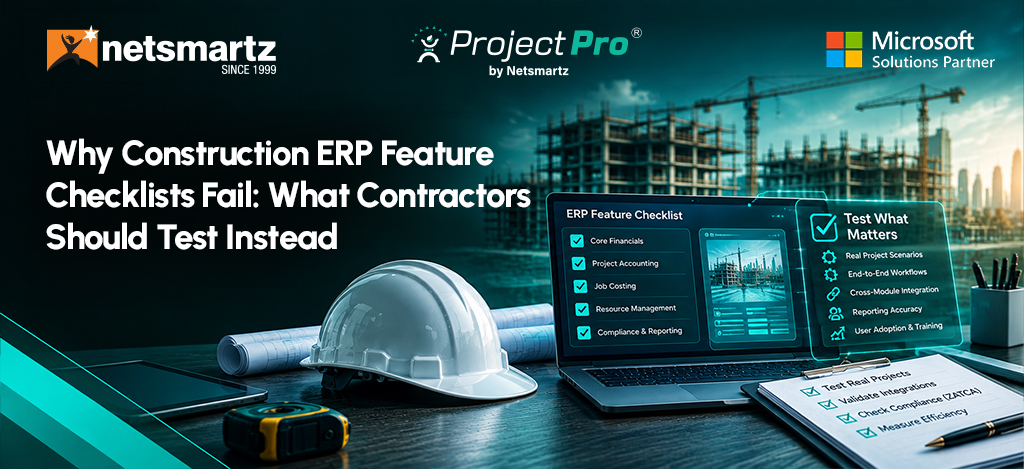
Why Construction ERP Feature Checklists Fail: What Contractors Should Test Instead
Most ERP evaluations test features. Contractors should test the financial chain of a real project.
A contractor can spend eight months evaluating construction ERP software, score five vendors against the same feature matrix, and still choose a system that creates problems after go-live. Months later, finance may still reconcile project costs outside the ERP, while project managers build workarounds because the system does not fit how they run jobs.
The problem is not always missing features. It is what happens when those features have to work together.
In construction, a labor overrun can change the forecast. A subcontractor’s commitment can affect projected costs. A change of order can alter the contract, budget, billing, WIP, and expected margin. Late field activity can leave finance working with outdated numbers.
The best ERP demo is not a feature tour. It is your project, run from estimate to final margin.
Start With the Financial Chain, Not the Feature List
Most ERP evaluations begin with a checklist:
- Job costing? Check.
- WIP? Check.
- Payroll integration? Check.
- Mobile access? Check.
Those answers matter, but they do not show whether the system connects the financial consequences of a real project. Take a job where labor runs high, a subcontractor submits a change, material costs increase, and billing needs to change.
The real test is whether you can trace:
Estimate → Budget → Commitments → Actual Costs → Changes → Billing/WIP → Projected Final Margin
This is what contractors should use throughout an ERP evaluation.
Microsoft Dynamics 365 Business Central, for example, supports project budgets, resource and employee time tracking, project supplies, invoicing, project analytics, and WIP methods. For contractors, the evaluation question goes further: how do those capabilities work with the construction processes surrounding them?
1. Can the Estimate Become a Controllable Job?
Start with an actual estimate and ask the vendor to show how it becomes a project budget. Follow labor, materials, equipment, subcontractors, cost codes, and assumptions into the awarded job.
Check for:
- Estimate-to-budget handoff
- Original vs. revised budget
- Cost codes and categories
- Forecast cost to complete
The key question: Does the original estimate remain a meaningful benchmark after the project starts? If the team must rebuild the budget manually, the ERP has created a gap between what was sold and what is being managed.
2. Test Job Cost Visibility Before the Problem Becomes a Report
Give the vendor one scenario: labor is over budget, a subcontract commitment increases, materials cost more, a change order is pending, and the project manager revises the forecast.
Then ask:
What changes in projected cost to complete and final margin, and when can the team see it?
That matters in today’s labor environment. AGC reported in September 2026 that contractors continue to struggle to fill open positions, while workforce shortages remain a significant constraint on construction projects. An ERP cannot solve a labor shortage, but it can help contractors see the financial impact of labor constraints sooner
An ERP cannot solve a labor shortage. It can help contractors see its financial effect sooner.
3. Make Field Activity Part of the Financial Record
Do not stop at asking whether the ERP has a mobile app. Follow a real field event:
Field activity → Project record → Actual cost → Forecast → Financial reporting
Test time entry, equipment activity, project updates, approved changes, and anything requiring re-entry. The goal is to reduce the distance between what happens on the job site and what finance knows about the job.
4. Use Change Orders and Billing as Stress Tests
Change orders expose whether an ERP’s modules actually work together. Take one pending and one approved change order and follow:
Contract → Budget → Commitment → Cost → Billing → WIP → Forecast
Can the system distinguish pending from approved work? Does the approved change update project values and the forecast? Can finance see the effect on billing and WIP?
Then test a project with costs incurred before billing, partial completion, retainage, approved changes, and a revised forecast.
Ask the vendor to show:
- Revenue
- WIP
- Billing
- Projected profitability
Business Central supports WIP methods including cost value, sales value, recognizable cost, percentage of completion, and completed contract.
But “Does it support WIP?” is not enough.
Can it produce the accounting result your construction business needs from the project data it captures?
5. Your Contractor Type Changes the ERP Test
Construction is not an operating model.
| Contractor type | What to test | Why it matters |
|---|---|---|
| General contractors | Commitments, changes, billing, project controls | Future costs can be missed before they become actuals. |
| Specialty contractors | Labor, materials, project profitability | Delayed labor data can hide margin problems. |
| Equipment-heavy | Equipment costs, utilization, allocation | Equipment economics can materially affect project performance. |
| Multi-entity | Intercompany, consolidation, permissions | Growth adds reporting and control complexity. |
Instead of asking, “Does the ERP support construction?”
Ask: Does it support how your business builds, bills, and makes money?
6. Test Integrations, Migration, and Implementation Together
An integration logo proves very little. Ask which system owns each data set, how often information syncs, what happens when it fails, who maintains it, and how upgrades are handled.
Then treat migration as a financial continuity issue, not just a technical task.
Ask:
- What historical data will migrate?
- How will open jobs and cost codes be handled?
- How will historical reporting work?
- Who validates the migrated data?
If a vendor says “we can migrate your data” without showing you what that data looks like inside a working project, they are treating migration as a technical task rather than a financial continuity issue.
The same scrutiny should apply to the implementation partner. Ask what they would not customize and why, how they handle field adoption and data validation, and what typically causes comparable construction projects to go off track.
A good implementation should not simply reproduce the old system. It should distinguish genuine requirements from processes that need to change.
Don’t Let AI Become a Band-Aid for Bad Data
AI should not distract from the underlying ERP architecture. If job costing, WIP, commitments, and change orders are disconnected, AI cannot reliably answer questions about financial information it cannot access.
Gartner forecasts that AI-enabled solutions will account for 62% of cloud ERP spending by 2027, up from 14% in 2024. Gartner also cites data quality, integration complexity, skills gaps, and inconsistent multi-entity support among adoption challenges.
For contractors, test AI against the same project scenario:
- Can it identify unusual spending?
- Can it explain a change in projected margin?
- Can it access job cost, WIP, commitments, and change-order data?
- Can users verify the numbers behind its answer?
The Real ERP Test: Run Your Project Through It
Give every shortlisted vendor the same project scenario:
Estimate → Award → Budget → Purchase → Labor → Materials → Subcontract → Change Order → Progress → Billing → WIP → Final Margin
Then ask:
- Can you trace a field event to the financial record?
- Can a change update the forecast without manual reconciliation?
- Do finance and operations see the same underlying numbers?
- Can the system preserve the project’s history from an estimate through a final margin?
Those answers tell you more about construction ERP software than a feature-count comparison.
The Bottom Line: Test the Chain, Not the Checklist
A construction ERP should not win because it checks the most boxes. It should survive the project scenario that matters to your business.
Take one real job from estimate through budget, commitments, costs, changes, billing, WIP, and final margin. Then test field workflows, integrations, migration, implementation, and AI against that same reality.
If a vendor cannot show you how the pieces connect, a feature list will not fill the gap. That is the difference between evaluating what an ERP has and what it can actually do for a construction business.
Want to Put the Framework to the Test?
If you’re evaluating construction ERP software, bring your project scenario and toughest financial workflow to Netsmartz at Booth #1608 at Community Summit North America 2026, October 11–15 in Nashville.
ProjectPro is an AI-powered construction project management solution that connects job costing, procurement, billing, financials, labor, equipment, and project controls in one system. Built on Microsoft Dynamics 365 Business Central and powered by Microsoft 365 Copilot, it gives contractors a connected view of project performance from the field to the back office.
Book a meeting with our construction technology experts To discuss your project workflows, ERP requirements, and how ProjectPro can fit your business.
FAQs
Look at estimating, job costing, commitments, field activity, change orders, billing, WIP, integrations, and reporting. More importantly, test how those capabilities work together on an actual project.
Use a real project as the test case. Follow the estimate into the budget, field activity into job cost, changes into the forecast, and project data into finance. Use the same scenario with every vendor.
Ask the vendor to demonstrate estimate-to-budget, purchasing, labor, changes, billing, WIP, and projected final margin using the same project scenario. Ask what requires customization, integration, or manual reconciliation.
The partner affects configuration, migration, integrations, adoption, and process fit. Ask about comparable contractors, common implementation problems, and what the partner recommends not customizing.
Capabilities vary by platform and implementation. Ask vendors to demonstrate the systems you use, explain data ownership and synchronization, and show how integration failures and upgrades are handled.
At Community Summit North America 2026, contractors can meet Netsmartz at Booth #1608 to explore AI Coworkers, ProjectPro, and ProjectPro Field for construction. See how construction teams can connect project management, job costing, field operations, and AI-powered assistance across the project lifecycle. You can also book a meeting with our construction technology experts to discuss your specific requirements.