Construction Job Material Planning Software | ProjectPro

All-In-One Construction Accounting Software

RESOURCE MANAGEMENT SOFTWARE FOR CONSTRUCTION

Keep track of materials & resources for smarter inventory management

Book a Free Consultation

Automated Material Planning for Just-in-Time Job Needs

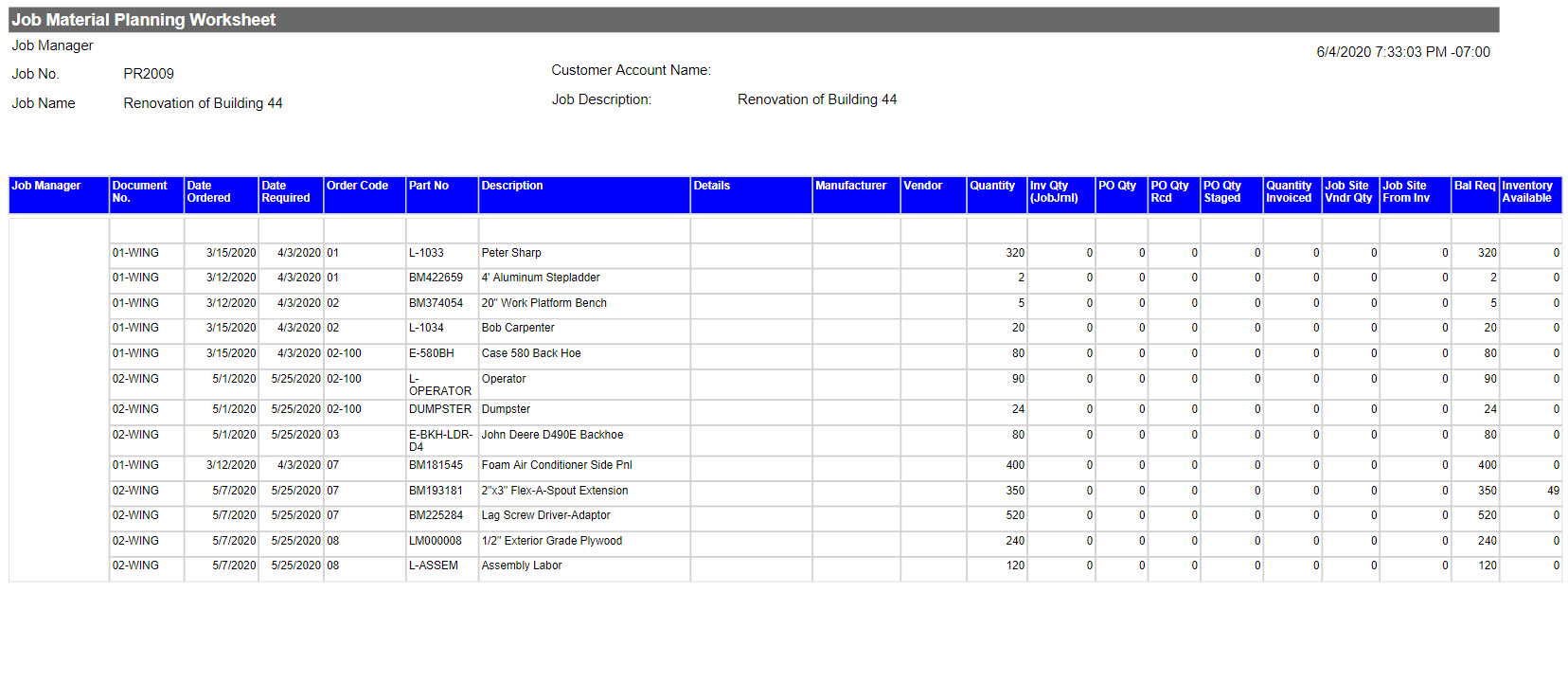
ProjectPro enables advanced Job Material Planning to manage materials and resources across all job stages. Users can define required dates to plan for single or multiple active jobs and allocate warehouse inventory as needed.


The system recommends purchases, supports construction retention methods, and automatically generates purchase orders for efficient procurement.

Award-Winning Construction Software
Created By Industry Experts

We know the construction industry challenges and we strive to make sure you achieve your project goals. We cut through complexity to give you the assurance and directions for your decisions, because we are here for the long term.

Award 1

Insights

Case study

Communication Solution Provider

This case study will help you understand how ProjectPro helped the client streamline financial reporting, and enhance project management and operations monitoring by offering real-time project performance visibility.

Read Case Study
Product Update
Learn About ProjectPro's Product Updates
Product Update

Got a Question?

Can ProjectPro automatically create job purchase orders?
Yes, you can create purchase orders automatically through the Requisition Worksheet by selecting the job you would like to manage. The Req. Worksheet will suggest vendors based on the item records and will create and issue purchase orders.
Can I purchase Resources through a purchase order?
Yes, ProjectPro has added the ability to purchase resources typically used for equipment rentals or subcontractors through purchase orders.
How can my team at the job-site see the status of materials to be ordered or already received?
Your field team can access the Job Material Planning Worksheet from the job site and see what materials have been ordered, received, invoiced from vendor, staging for delivery, or already delivered to the job site.
How can I tell what materials and other items have been delivered to the job site?
You can use the Job Material Worksheet to show what items have been purchased for the job, items received, items staged for delivery and what has been delivered to the job site from both vendors and out of inventory stock.
Schedule a Demo